wisp
A Pixi-shaped 2D scene graph + filter chain library on top of
wgpu. Native Rust, no JavaScript, no DOM.
Scene tree, sprite batcher, filter chain, mask system, text.
What it gives you
- Scene tree —
Container/Sprite/Graphics/Text, with transforms inherited from the parent. - Sprite batcher — single draw call per atlas, scene-tree order preserved.
- Filter chain — composable post-process passes (blur, drop
shadow, motion blur, color matrix), each with a
passes()method so the renderer can allocate scratchRenderTextures on demand. - Mask system — rounded clip, privacy blur, solid redaction, spotlight, dim-outside, ellipse, freehand path. Works on raster AND vector primitives.
- Text — atlas-cached bitmap text for HUDs + a Cosmic-Text /
Glyphon-backed
FlexibleTextfor high-quality body copy. - Headless export — render any scene to a
RenderTexture, read pixels back as BGRA bytes, or push them straight into a GStreamerappsrcfor video encode.
What it costs you
- A wgpu adapter. Anything Metal / Vulkan / DX12 / GLES 3 capable.
- Rust 1.82+ (some examples use newer features).
- Awareness of wgpu's
Queue::submitrhythm — wisp gives you the scene API but expects you to drive the frame loop.
What it is not
- A game engine. There's no input handling, audio, networking, asset pipeline, or ECS.
- A web canvas library. wisp targets native; the web works via wgpu's WebGPU backend but is not a primary surface.
- A reactive UI framework. Wisp draws what you tell it to draw.
Why it exists
It's the renderer behind Screen Studio — a native Rust
screen recorder. The full project is in the screen monorepo; this
book is the renderer-only deep dive. If you want context on how the
recorder uses wisp, the project book at /Screen/ has the
integration story.
**`wisp` does not depend on `media`, `decode`, `playback`, `capture`,
or any application crate.** The dependency arrows go one way:

- `media` / `decode` / `playback` produce data (BGRA frames, audio
  histograms, geometry) and hand it to `wisp` via standalone types
  it already owns (`VideoTexture`, `Sprite`, `Graphics`).
- `wisp` provides the scene graph; everything else composes against it.

Any change that makes wisp pull from a higher-level crate breaks the
ability to publish wisp to crates.io as a standalone renderer. See
`_docs/wisp-book/src/intro.md` for the publishable-crate contract.
This is one of **two** sibling mdBooks deployed to the same GitHub
Pages site:

- **Project book** — `/Screen/` (recorder + capture + encoder + Tauri shell).
- **Wisp book** — `/Screen/wisp/` (renderer-only reference; publishable to crates.io independently).

Cross-references in either book go through the
`mdbook-preprocessor-cross` preprocessor so URLs adapt per book:

- `\{\{wisp-link path/to/chunk\}\}` — emits a relative URL inside
  the wisp book, an absolute `/Screen/wisp/path/to/chunk.html` URL
  from the project book.
- `\{\{shared path/to/fragment.md\}\}` — inlines a markdown
  fragment from `_docs/shared/` (this snippet you're reading is
  one).

Plain markdown links from the wisp book back to the project use
absolute URLs (`/Screen/...`) since the inverse direction is
single-target.
Quickstart
Three minutes from cargo add to a textured quad on screen.
1. Add the dependency
[dependencies]
wisp = "0.1"
2. The smallest scene that draws
#![allow(unused)]
fn main() {
use wisp::prelude::*;

fn build_scene() -> Stage {
    let mut stage = Stage::new(StageOptions {
        size: (1920, 1080),
        clear_color: [0.0, 0.0, 0.0, 1.0],
    });
    let id = stage.spawn(Sprite {
        position: vec2(960.0, 540.0),
        size: vec2(800.0, 450.0),
        anchor: vec2(0.5, 0.5),
        texture: TextureRef::Solid([0.4, 0.6, 1.0, 1.0]),
        ..Default::default()
    });
    stage.tick(0.0);
    stage
}
}
3. Drive the frame loop
Pick a host:
- Native window via
winit— wisp'sApplication::from_wgpuaccepts awgpu::Device+wgpu::Surfaceand renders straight to it. - Headless — render into a
RenderTextureand callread_pixelsfor PNG dumps or push the BGRA bytes into GStreamerappsrc → vtenc_h264_hw → mp4mux → filesinkfor MP4 output.
See Headless export and Recorder mock for both flows running end-to-end.
4. Add a filter
#![allow(unused)]
fn main() {
let id = stage.spawn(Container::default());
stage.attach_filter(id, BlurFilter::new(8.0));
stage.attach_filter(id, DropShadowFilter::new()
    .with_offset(vec2(8.0, 8.0))
    .with_blur(12.0));
}
Filters compose left-to-right. The filter chain example animates three filters layered on one container.
5. Read the deep dive
- Renderer overview —
Container/Sprite/Graphics/Text, the frame pump,RenderTexture. - Sprite batcher — how the renderer collapses N sprites into one draw call.
- Filter chain — composing multiple post-process passes.
- Text architecture — bitmap vs flexible text, glyph atlas, layout pipeline.
- Mask system — dynamic mask textures, vector → mask bridging.
wisp is the renderer behind Screen Studio, a native Rust screen recorder. If you want to see how an editor / capture pipeline / encoder integrates with wisp, the screen project book at /Screen/ has the full integration story.
wisp — overview
wisp is a Pixi-equivalent 2D scene graph + filter chain on wgpu.
It exists to power the recorder. Pixi's API shape (Stage → Container → Sprite, filters as a per-node chain, render-to-texture targets) maps cleanly to the recorder's compositor needs: a video sprite under cursor effects, drop shadows on the recording quad, filter chains for color grading, etc.
Every renderable feature ships with a story; every story is screenshotted
into assets/wisp/<id>.png and shows up in Stories.
Core types
Stage— root scene container; owns the slotmap of nodes.Container/Sprite/Graphics/Text/Mesh— node types.Transform— position / rotation / scale; nested via parent/child.Filter—BlurFilter,DropShadowFilter,MotionBlurFilter,ColorMatrixFilter. Composable, applied at render.Renderer— orchestrates the scene → texture path; stat counts come back inRenderStats { draw_calls, sprites_drawn, … }.RenderTexture/VideoTexture— render targets; the latter for per-frame uploads (the path the recorder uses for capture frames).
For the full API see the rustdoc index.
wisp — stories
Every shipped renderable feature has a story. Each is a deterministic
construction of a stage that exercises the feature in isolation; the same
story drives the interactive just storybook gallery, the integration tests
(tests/story_smoke.rs, tests/story_fingerprints.rs), and these screenshots.
Regenerate with just snapshots-wisp.
Renderer foundation
Hello quad — M0.5
The smallest possible end-to-end render: one solid-coloured quad through the quad pipeline. Proves the application + renderer + render-to-texture path.
Sprite batcher — M0.10
Many sprites issued as a single instanced draw call. Demonstrates the batching discipline that keeps draw counts low even as the scene grows.
Transform nesting — M0.7
Parent/child transform composition. Children inherit the parent matrix; nested rotations / scales compose correctly.
Text — M0.13
Embedded ASCII bitmap font (font8x8). No external font files; just a glyph sprite atlas built at startup.
Graphics primitives (SDF-based)
Rounded rect — M0.16
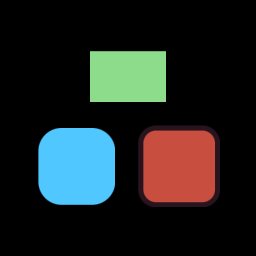
Signed-distance-field rounded rectangle with fwidth-based AA. Crisp edges
at any scale.
Ellipse — M0.16
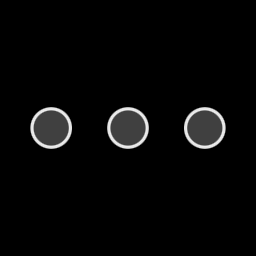
SDF ellipse with the same AA path. Replaces a pre-tessellated mesh.
Gradients — M0.16
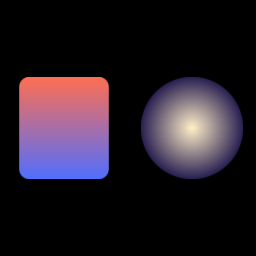
Linear and radial gradient fills. Same Graphics node, different fill rules.
Filters (multi-pass post-process)
Blur — M0.17
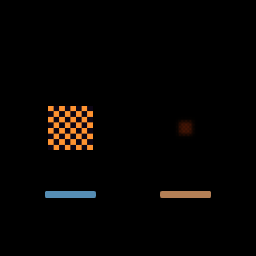
Separable Gaussian (9-tap horizontal + vertical). Two render-target ping-pongs per filter application.
Drop shadow — M0.17

Multi-pass: extract → blur h → blur v → composite. Becomes the recorder's recording-quad shadow.
Motion blur — M0.18
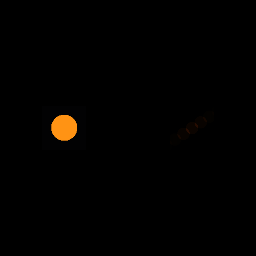
Velocity-vector blur. Catches a sense of motion on the cursor and zoom.
Color matrix — M0.18
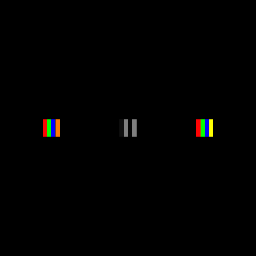
Three copies of the same source — identity, grayscale, brightness — through a 4×5 RGBA matrix. The building block for any "look" preset.
Mesh
Perspective — M0.19
3D Y-axis rotation in WGSL. Foundation for the recorder's "tilt" preset.
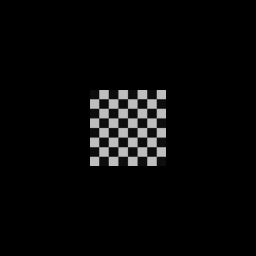
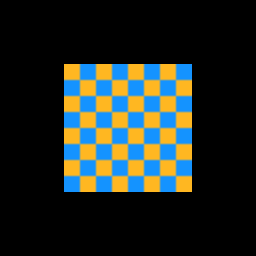
Textured quad — M0.6

A 64×64 procedural checker pattern uploaded as a Texture and rendered as a
single Sprite, anchored at the center, rotating slowly.
This is the M0.6 baseline: Texture::from_rgba constructs a GPU texture from
raw bytes, Sprite::from_texture wraps it in a scene-graph node, and
Renderer::render_stage composites it onto the canvas.
The unified quad shader (quad.wgsl) takes per-vertex UV and a per-instance
model matrix + tint. Anchor (0.5, 0.5) centers the sprite at its position so
rotation pivots around the sprite center rather than its top-left corner.
Once the recorder is wired up, the screen-capture frame becomes a
VideoTexture (M0.11) consumed by exactly this same Sprite path — the
recorded video is just another textured quad.
Nested transforms — M0.7 / M0.8

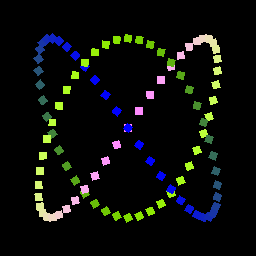
Three nested containers, each spinning at a different rate. Children inherit their parents' transforms — the inner ring's apparent path is the composition of all three rotations.
This is the M0.7+M0.8 contract made visible: the renderer's pre-order
traversal multiplies parent-world × local on the way down
(compose(world_parent, &local)), so each sprite's final clip-space position
is parent_outer · parent_mid · parent_inner · local_sprite.
The recorder uses the same pattern for nested compositions: the recording quad is a child of a "padding" container, which is a child of a "background" container. Animating the padding container's transform slides the entire recording smoothly without touching individual children.
Reverse-direction rotation in the middle ring is intentional — it makes the composition obvious. If you stopped one ring at a time you could read off each transform's contribution.
Container API · Transform · Stories index
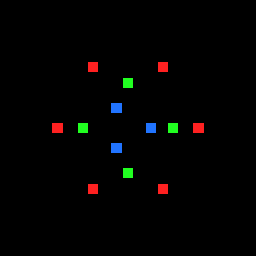
Sprite batcher — M0.9

100 sprites, all sharing the same texture Arc, rendered in a single draw
call.
This is the M0.9 anti-regression contract. The renderer's collect_batches
walks the scene in pre-order, groups instances by (texture_id, blend_mode),
and emits one instance buffer per batch. When sprites share a texture they
collapse into one batch.
For the recorder this is what makes the cursor-trail-of-100-clicks scenario feasible: even if the cursor effects layer fans out into many sprites in a short window, draw-call cost stays constant.
Texture::id() is Arc::as_ptr(&inner) as usize —
texture-pointer-equality. Cloning a Texture shares the GPU resource and
the batch key.
Sprite API · Texture · Stories index
Rounded rect with stroke — M0.12 / M0.13

Three rectangles sharing one shader, one pipeline, one draw call.
The unified graphics_solid.wgsl handles rect (radius=0), rounded rect, and
ellipse via a kind flag. Anti-aliasing comes from fwidth(d) of the SDF,
giving clean edges at any zoom level without MSAA.
Stroke is rendered as a second instance with mode=1. The vertex shader
expands the bounding quad by stroke_width/2 so the band has room to draw.
Fill + outline both batch into the same draw call.
For the recorder this primitive becomes: video padding/corners, keyboard chip backgrounds, caption backgrounds, click ripples (as outlined ellipses), mask highlights — all the chrome around the recording.
Graphics API · Stroke · Stories index
Animated click ripple — M0.13

Three click ripples animated via the story's tick hook.
Each ripple is one outlined ellipse: filled with a low-alpha center, stroked with a brighter outer edge that fades as the radius grows. Three are staggered in time to read as separate clicks.
The ellipse SDF uses the standard scaled-circle approximation:
(length(p / r) - 1.0) * min(r.x, r.y). Visually correct for moderate
eccentricities; exact ellipse SDF requires iteration and isn't necessary for
ripple effects.
This is exactly the recorder's click-ripple feature (M0.18+ in the recorder roadmap): captured cursor events trigger ellipse animations on the timeline, each a few hundred ms long. The renderer batches every ripple in the frame into one draw call.
Arc + annular sector — M-VEC.20
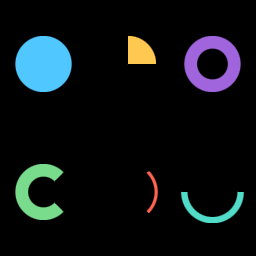
Two new SDF primitives in Graphics:
draw_annular_sector(center, r_inner, r_outer, start, end)— filled pie slice (whenr_inner = 0) or donut slice (whenr_inner > 0).draw_arc(center, radius, start, end, stroke_width)— thin stroked curve; internally an annular sector withr_inner = radius - stroke_width / 2,r_outer = radius + stroke_width / 2.
Angles are radians; 0 aligns with +x, counter-clockwise positive. The
angular span clamps to [0, 2π]; an end angle ≥ start angle + 2π collapses
to a full ring (or full disc when r_inner = 0).
Pie / donut / gauge / sunburst charts need arcs at chart-level resolution
(hundreds of pixels of radius). Approximating an arc with many short line
segments produces visible faceting and breaks SDF anti-aliasing. Putting
arcs in Graphics lets every consumer get clean AA edges via the same
fwidth(d) pipeline that rect / rounded rect / ellipse use.
SDF math
The shader rotates the local point so the wedge centerline aligns with +y,
then mirrors across +y so only the right half-plane needs handling. Inside
the wedge, distance reduces to r - r_outer (disc case) or
max(r - r_outer, r_inner - r) (annulus case). Outside the wedge, distance
is to the radial wedge edge — a clamped projection onto sc * t for
t ∈ [r_inner, r_outer]. Implementation in
graphics_solid.wgsl::sdf_annular_sector.
The wedge symmetry (abs(p.x) after rotation) is what makes this fit one
branch-free SDF. It also means the maximum supported angular span is 2π
— wider spans are clamped at the call site.
```admonish warning title="Stroke vs draw_arc"
draw_arc is the convenient stroked-curve form; it lowers to an annular
sector with thickness = stroke_width. If you want a bordered annular
sector (filled region + outline), use draw_annular_sector with the
graphics' current stroke set — that emits two instances (fill + outline
band) like draw_rect does.
## Chart consumers

This primitive unblocks three chart tickets that were filed against
`wisp-chart`:

| Chart | Linear | Uses |
|---|---|---|
| Pie / donut (M-CHART.17) | [AUT-197](https://linear.app/harwood/issue/AUT-197) | one `draw_annular_sector` per slice |
| Gauge (M-CHART.15) | [AUT-195](https://linear.app/harwood/issue/AUT-195) | coloured threshold-zone annular sectors + a needle |
| Sunburst (M-CHART.36) | [AUT-216](https://linear.app/harwood/issue/AUT-216) | nested annular sectors per hierarchy level |

## Verified by

`crates/wisp/tests/render_annular_sector.rs` — four tests pin each
geometric case:

1. **Full disc** — `r_inner = 0`, full angular span; centre pixel reads
   as the fill colour, edge pixel reads as background.
2. **Quarter wedge** — 90° pie slice; upper-right pixel reads as fill,
   lower-left pixel reads as background.
3. **Donut band** — `r_inner > 0`, full angular span; centre pixel reads
   as background (hole), mid-band pixel reads as fill.
4. **Stroked arc** — `draw_arc` with narrow band; centerline pixel reads
   as fill, just-inside pixel reads as background, well-outside-angular-span
   pixel reads as background.

---

[`Graphics` API](../../api/wisp/scene/struct.Graphics.html) · [Stories index](../stories.md)
Convex polygon — M-VEC.21
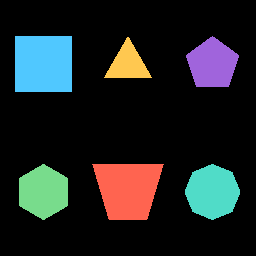
Graphics::draw_polygon(vertices) fills any convex polygon
listed in counter-clockwise winding order. The polygon is
implicitly closed — the last vertex connects back to the first.
Polygons under 3 vertices are silently skipped.
This is the chart-layer enabler for area fills, sankey ribbons, funnel-area trapezoids, and the ternary simplex outline — all of which are convex by construction in v1.
Fan triangulation from vertex 0 produces visible overlap when the
polygon isn't convex. Non-convex input is undefined behaviour for
v1. Full tessellation (lyon_tessellation + non-convex SDF for
edge AA) is a follow-on chunk; today's chart-side consumers are
all convex and don't need it.
The triangle-list path renders with hard pixel edges (no
fwidth()-based smoothstep like the SDF primitives). Where crisp
edges matter — chart labels, callout borders — stroke the polygon
perimeter with draw_line segments; those go through the existing
SDF line path and are properly anti-aliased.
Render path
A separate WGSL shader (graphics_polygon.wgsl) and a sister
BlendPipelineMap inside GraphicsPipeline handle polygons. The
scene walk separates each Graphics node's primitives into:
- SDF instances (rect / rounded rect / ellipse / line /
annular sector) — flow through
graphics_solid.wgslas instanced quads. - Polygon triangles — fan-triangulated CPU-side from vertex
0, world matrix baked into clip coordinates, then flow through
graphics_polygon.wgslas a plain triangle list.
Both share the polygon node's blend-mode bucket so a chart that mixes SDF primitives (axis gridlines, point markers) with polygons (area fill) composites in the order their primitives were emitted on the node.
Verified by
crates/wisp/tests/render_polygon.rs — three tests:
- Square — minimum-viable 4-vertex polygon; centre fills, exterior is background.
- Regular pentagon — non-rect convex; centre fills, exterior is background.
- Trapezoid — funnel-area-style asymmetric quad; centre fills, off-edge corner reads as background.
Chart consumers
| Chart | Linear | Uses |
|---|---|---|
| Area chart | AUT-190 | filled polygon below curve |
| Sankey | AUT-217 | edge ribbons (cubic Bezier → flatten → polygon) |
| Funnel (area mode) | AUT-218 | trapezoidal connections between stages |
| Ternary | AUT-210 | simplex triangle outline |
| Contour (filled, partial) | AUT-209 | convex bands today; full non-convex deferred |
Gradient fills — M0.14

Two gradient fills in one Graphics, one draw call.
The left rounded rect uses a linear gradient — the shader projects each
fragment's local position onto the start → end line and mixes the two
colors by the projection parameter t.
The right ellipse uses a radial gradient — t is the fragment's
distance from center divided by radius, clamped to [0, 1].
Both gradients evaluate in primitive-local coordinates
([-half_extents, +half_extents]), so the gradient transforms with the
primitive's container — rotate the parent and the gradient rotates too,
just like a painted gradient on a moving cel.
For the recorder: linear gradients give the padded "wallpaper" backgrounds (the kind Screen Studio ships) for one extra fill kind; radial gradients give vignette-style highlights around clicks or focus points.
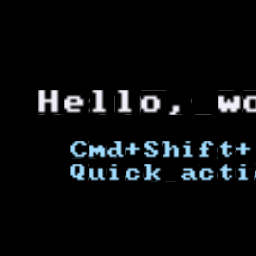
Bitmap text — M0.15

Bitmap glyph rendering using the embedded font8x8 ASCII set.
Each character is an 8×8 pixel bitmap packed into a 128×128 atlas (16×16
grid). The text pipeline emits one instance per glyph; instances from all
Text nodes that share a font atlas batch into a single draw call (this
story = 2 Text nodes × N chars = 1 draw call).
Why bitmap not vector: zero external font files, deterministic, tiny
dep. When the recorder needs anti-aliased type at multiple sizes, we add
fontdue as a separate Font variant — but the Font / Text API stays
the same.
Layout: cursor flows left-to-right; \n resets cursor.x = 0 and moves
cursor.y down by line_height = cell_size × 1.25. Anchor is the top-left
of the first line; transform.position places that anchor in scene-graph
world coords.
Color: per-Text. To recolor mid-string would require multiple Text
nodes — fine for the recorder (keyboard chips, captions) where we never mix
colors mid-glyph.
Text API · Font · Stories index
Text rotation under Container transform — M-TEXT.20
wisp::Text glyphs are placed by a world matrix that's the
composition of every Container::transform between the text node
and the stage root. That includes the text's own
text.container.transform.rotation. The propagation is automatic
— no separate rotation field on Text, no glyphon-side bypass.
Y-axis titles need to read bottom-to-top, which is Text rotated
-π/2 (90° clockwise on a +Y-up renderer). Radar / polar axis
labels follow the same path. Without rotation propagation, every
chart family that needs vertical text would need a wisp-side
enabler. With it, the chart layer just sets
text.container.transform.rotation and renders.
Convention
- Rotation is counter-clockwise in radians:
0.0= unrotated;+π/2= quarter turn CCW;-π/2= quarter turn CW (the Y-axis-label rotation). - The rotation pivot is the text's local origin by default —
the same point
transform.positionplaces in world space. To rotate around a different anchor (e.g. the centre of the string), settransform.pivotaccordingly. - Rotation composes with
transform.scaleand parent containers throughMat3multiplication inscene::transform::compose.
Verified by
crates/wisp/tests/text_rotation.rs — three assertions:
- Unrotated 5-char text produces a wide bounding box (
width > height). - The same text with
rotation = -π/2produces a tall bounding box (height > width). - The aspect-ratio flip is large enough to be unambiguous
(
h_aspect > 1.5,v_aspect < 0.67).
These tests double as anti-regression guards: any future change
to the text pipeline that drops the world matrix multiplication
on glyph instances will fail them.
Example
#![allow(unused)]
fn main() {
use wisp::{Color, Font, Stage, Text};

let font = Font::bitmap_8x8(&app);
let mut title = Text::new(font, "Revenue ($M)").with_cell_size(0.04);
title.color = Color::rgba_u8(34, 34, 34, 255);
// Position next to the Y-axis tick labels.
title.container.transform.position = glam::Vec2::new(-0.9, 0.0);
// Rotate -90° so the text reads bottom-to-top.
title.container.transform.rotation = -std::f32::consts::FRAC_PI_2;

stage.add_child(stage.root(), title);
}
Text API · Container · Transform
Blur filter — M0.16

Sharp source on the left; the same texture, blurred via a two-pass separable Gaussian, on the right.
The Filter trait is straightforward: passes() returns the number of
render passes the filter needs (BlurFilter returns 2 — one horizontal,
one vertical), and render_pass(ctx, input, output, pass) does the work
for that pass. The Renderer's apply_filter orchestrator allocates a
scratch RenderTexture for multi-pass filters and ping-pongs.
For the recorder this gives us:
- The mask/highlight tool's blurred sensitive regions.
- The glassmorphism background variant.
- A building block for
DropShadowFilter(M0.17 = alpha extract → blur → composite).
The 9-tap kernel uses a small fixed weight table tuned for visual blur quality at typical UI radii (1–8 texels). For larger blurs we'd ramp the kernel size or run multiple passes.
BlurFilter API · Stories index
Drop shadow — M0.17

A rounded rect rendered offscreen, then composited on top of its own blurred shadow.
DropShadowFilter does four passes inside a single Filter::render_pass
call: it allocates two scratch RenderTextures, extracts the source alpha
(offset and tinted) into scratch_a, runs separable Gaussian blur (h then
v) using BlurFilter's pipeline, then composites the source over the
blurred shadow with alpha-over math.
For the recorder this gives the cinematic recording-card look: a padded recording quad floating over a wallpaper background with a soft drop shadow underneath. The shadow color/alpha controls how grounded the recording feels; the offset controls perceived light direction.
Re-using BlurFilter's run_blur_pass between filters keeps the shader
sharing tight — DropShadow doesn't duplicate Gaussian math, it just calls
into it.
DropShadowFilter API · Stories index
Motion blur — M0.18

A solid dot on the left; the same dot smeared along a (900, 600) velocity
vector on the right.
MotionBlurFilter reuses the separable Gaussian shader from BlurFilter
but swaps the axis-aligned (1,0) / (0,1) directions for the
unit-velocity vector. Kernel size scales with
velocity.length() / peak_velocity_pps clamped at max_kernel_px —
constants 1400 / 14 lifted from OpenScreen's zoomTransform.ts.
For the recorder this is the foreshadowing motion blur during zoom transitions and panning. When the camera (the recording viewport) is in motion, every frame's source content gets smeared along the velocity vector — the same trick Screen Studio uses to make zoom feel cinematic instead of jarring.
MotionBlurFilter API · Stories index
Color matrix — M0.18

Three copies of the same source — identity, grayscale, and brightness ×1.4 —
using ColorMatrixFilter.
The shader applies a 4×5 matrix (out = M · [r, g, b, a, 1]). Named
constructors give common operations: identity(), grayscale() (Rec.709
luminance weights), brightness(scale). Compose them by chaining filter
applications, or build a custom matrix for tone curves, channel shuffles,
sepia, etc.
For the recorder this becomes: per-clip color grading, accessibility filters (high contrast, deuteranopia simulation), and the building block for any "look" preset.
ColorMatrixFilter API · Stories index
Perspective rotation — M0.19
A textured quad rotating around the Y axis with perspective foreshortening —
the M0.19 Mesh node + custom WGSL shader. The animation above is the
storybook's tick running for 3 seconds at 30 fps, captured to MP4 via
just snapshots-wisp-animated (gstreamer-backed).
The shader rotates the quad's vertex positions in 3D (x and z change
with cos/sin, y stays fixed), then projects with
1 / (1 + z * persp_strength). At full edge-on the quad disappears (the
projection collapses); at face-on it looks like a normal sprite. Tunable
strength (0.0 = orthographic, 1.0 = aggressive foreshortening).
For the recorder, this gives the camera-bubble "tilt-on-focus" treatment and any time the recording quad needs to feel like a card flipping in space rather than a flat sprite.
Mesh nodes still batch by texture — multiple meshes sharing one texture
render in a single draw call (verified by the
meshes_sharing_texture_batch_into_one_draw_call test).
Filter chain — M0.20

The M0.20 proof point that wisp's Filter
trait composes cleanly when multiple post-processing passes need to stack.
The pipeline:
flowchart LR
    Stage --> |Renderer::render_stage| RTbase[RT_base]
    RTbase --> |BlurFilter<br/>radius=lerp 0.5..6| RTa[RT_a]
    RTa --> |DropShadowFilter<br/>blur=lerp 0..14<br/>offset=8,8| RTb[RT_b]
    RTb --> |MotionBlurFilter<br/>velocity=lerp 0,0..60,0| RTfinal[RT_final]
Three filters in sequence, each fed by the previous filter's output. Each
filter declares passes() and the Renderer::apply_filter
helper allocates a scratch RenderTexture for multi-pass filters
(Blur is two-pass — separable Gaussian; the others are one-pass).
crates/wisp/examples/filter_chain.rs animates all three parameters
together over 60 frames so the chain visibly layers — the highlight
above is frame 30, where blur radius is 3.25 px, drop-shadow blur is
7 px, and motion-blur kernel is at 50% of peak_velocity_pps.
The example is fully headless — same render path the M-EXPORT
pipeline will use when it consumes a project file and emits PNGs
(or pushes BGRA frames into GStreamer's appsrc → encoder → mp4mux
graph, per AUT-144). Run with:
cargo run -p wisp --example filter_chain
# 60 frames at target/filter_chain/frame_NN.png
# highlight at _docs/book/src/assets/wisp/example-filter-chain.png
BlurFilter ·
DropShadowFilter ·
MotionBlurFilter ·
Renderer::apply_filter
Recorder mock — M0.21
The M0.21 proof point: the full layered scene tree from
recorder-features-and-render-api.md §4, rendered headless.
The compositor stack, back-to-front:
- Gradient background panel — a
Graphicslinear gradient covering NDC. - Recording quad — placeholder for the screen capture, drawn as a
rounded
Graphicswith stroke (the real M2 path swaps in aSpritewrapping aVideoTexturefed by ScreenCaptureKit). - Camera bubble — rounded
Spritein a corner. - Cursor sprite + click ripple — a small textured
Spriteplus aGraphicsellipse scaled-up beneath it. - Keyboard chip — rounded
Graphicswith aTextlabel inside. - Caption text —
Textunder the recording quad.
Render output: target/recorder_mock.png. Stats reported on stdout:
draw_calls=5, sprites=3, graphics=4, glyphs=43, meshes=0. Every
primitive type wisp ships is exercised in one frame — if recorder_mock
runs cleanly, the public API surface is sufficient for the recorder's
editor preview.
cargo run -p wisp --example recorder_mock
The mock uses synthetic textures (a checker pattern for the recording quad's stand-in, a simple sprite for the cursor). M2+ replaces these with real capture frames; the scene-graph shape stays the same.
Stage ·
Sprite ·
Graphics ·
Text ·
Recorder feature inventory (offsite — workspace docs)
Headless export — M0.21
The M0.21 closing proof point: 60 frames at 1920×1080, fully
headless, dumped as PNGs. This is the path the M-EXPORT pipeline
inherits — render the project file's scene graph for each frame's
timeline tick, dump pixels, push BGRA into GStreamer's
appsrc → vtenc_h264_hw → mp4mux → filesink (or its
mfh264enc / vaapih264enc / x264enc platform variants).
The example renders the same recorder-mock-shaped scene but animates it:
- Recording quad rotates ±8° (one cycle over 60 frames).
- Cursor sprite oscillates horizontally on a Lissajous-style path.
- Text label scale pulses 1.0 → 1.15 → 1.0.
cargo run -p wisp --example headless_export
# Outputs:
#   target/headless_export/frame_00.png … frame_59.png   (60 frames)
#   _docs/book/src/assets/wisp/example-headless-export.png  (highlight)
The highlight above is frame 30 — mid-animation peak. Sixty 1080p PNGs total ~30 MB on disk; compositing them into a real MP4 is M2+ scope when the encode crate lands.
What this rules out (and rules in)
- Rules in: wisp can render a non-trivial scene (4 layers, 60+ glyphs) at 1080p in milliseconds per frame. The export pipeline isn't GPU-bound for typical recording scenes.
- Rules in: the
RenderTexture→read_pixelspath is allocation- free per frame after warmup (the texture pool persists across frames). - Rules out (deferred to M-EXPORT): real per-frame timeline data
(currently parameters are computed from
frame / 60.0); the export format negotiation (we write PNG-per-frame; production pipeline pushes raw BGRA into GStreamer'sappsrcand converts toyuv420pinline withvideoconvert ! video/x-raw,format=I420).
GStreamer is the single media stack
The M0.21 spec originally called for examples/video_texture.rs to
"loop an MP4 decoded via ffmpeg-next." During M-DEC the project
locked in GStreamer as the only media library (see AUT-144
and the stack reference); the
equivalent decode path now lives at
crates/playback/examples/play_file.rs.
The headless side that M0.21 cared about — render-loop-to-PNG — is
exactly what headless_export ships, and the eventual encode side
will push the same BGRA frames into a GStreamer appsrc pipeline.
Renderer::render_stage ·
RenderTexture::read_pixels ·
Playback overview
Blend modes
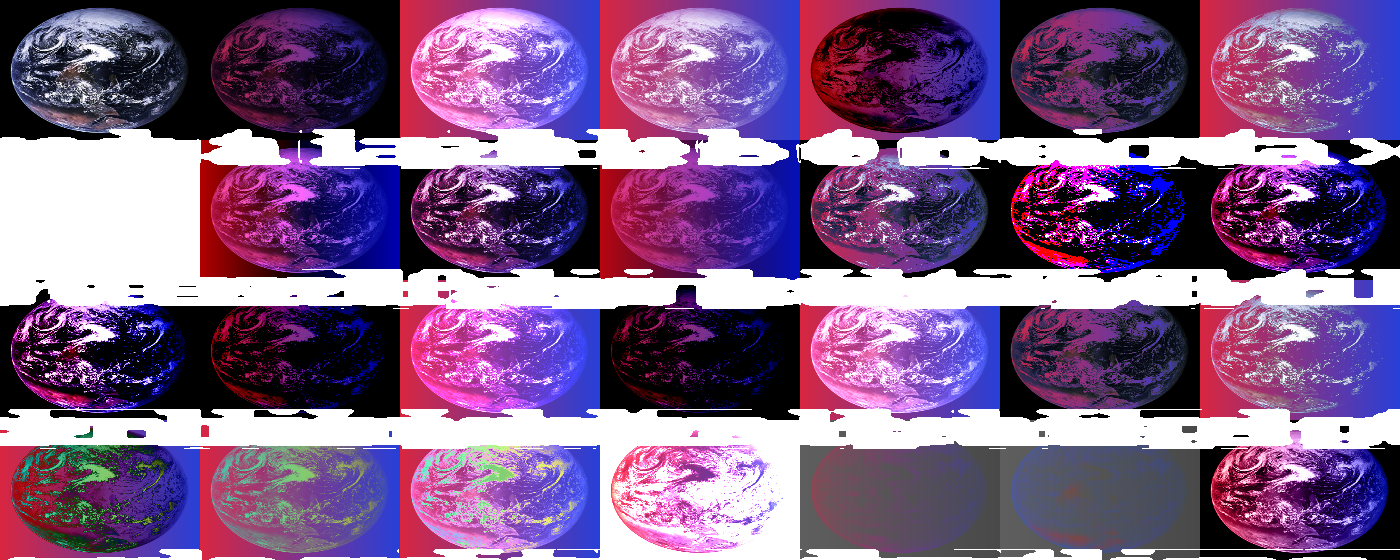
Backdrop is a red→blue horizontal gradient; foreground is the Apollo 17 "Blue Marble" NASA photograph (public domain). Picking real-world content over synthetic gradients makes each mode legible: continents punch through Multiply, oceans tint under Hue / Color, black space inverts on Difference, and so on.

The full PixiJS v8 catalog, implemented in two architectural buckets:
- Standard (8 modes) — single-pass GPU blend equations via
wgpu::BlendState. Free. - Advanced (20 modes) — offscreen filter pass that samples backdrop + foreground and runs a per-mode blend shader. One extra render-target per advanced-blended node.
Catalog
| Mode | Bucket | Formula |
|---|---|---|
normal | standard | src.a · src + (1 - src.a) · dst |
multiply | standard | dst · src + (1 - src.a) · dst |
add | standard | src + (1 - src.a) · dst |
screen | standard | 1 - (1 - src) · (1 - dst) |
subtract | standard | dst - src (clamped) |
min | standard | min(src, dst) per channel |
max | standard | max(src, dst) per channel |
erase | standard | dst · (1 - src.a) |
overlay | advanced | (base < 0.5) ? 2·base·blend : 1 - 2·(1-base)·(1-blend) |
hard-light | advanced | overlay with the test on blend instead of base |
soft-light | advanced | W3C piecewise (smoother than hard-light) |
pin-light | advanced | (blend < 0.5) ? min(base, 2·blend) : max(base, 2·blend - 1) |
hard-mix | advanced | step(0.5, base + blend - 0.5) |
vivid-light | advanced | combination of color-burn (low blend) + color-dodge (high blend) |
linear-light | advanced | base + 2·blend - 1 clamped |
color-burn | advanced | 1 - min(1, (1 - base) / blend) |
color-dodge | advanced | min(1, base / (1 - blend)) |
linear-burn | advanced | base + blend - 1 clamped |
linear-dodge | advanced | base + blend clamped |
darken | advanced | min(base, blend) |
lighten | advanced | max(base, blend) |
difference | advanced | abs(base - blend) |
exclusion | advanced | base + blend - 2·base·blend |
negation | advanced | 1 - abs(1 - base - blend) |
divide | advanced | clamp(base / blend, 0, 1) |
saturation | advanced (HSL) | set_lum(set_sat(base, sat(blend)), lum(base)) |
color | advanced (HSL) | set_lum(blend, lum(base)) |
luminosity | advanced (HSL) | set_lum(base, lum(blend)) |
API
Standard modes
Set on the node's container; rendered automatically in render_stage:
#![allow(unused)]
fn main() {
let mut graphics = Graphics::new();
graphics.fill(Fill::Solid(Color::rgba(1.0, 0.0, 0.0, 1.0)));
graphics.draw_rect(Rect::new(-1.0, -1.0, 2.0, 2.0));
graphics.container.blend_mode = BlendMode::Multiply;  // ← here
}
Each pipeline (sprite, graphics,
text, mesh) holds a BlendPipelineMap
of one wgpu::RenderPipeline
per native mode (8 pipelines per shader pre-built at construction time).
Drawing groups instances by (texture, blend_mode) and binds the right
pipeline for each batch.
Advanced modes
Auto-dispatched by render_stage since M-BLEND.2. Just set the
container's blend mode to an advanced variant and call render_stage
the same way you would for a native mode:
#![allow(unused)]
fn main() {
let mut sprite = Sprite::from_texture(tex);
sprite.container.blend_mode = BlendMode::Overlay;  // ← Tier C, just works
let mut stage = Stage::new();
let _ = stage.add_child(stage.root(), sprite);
renderer.render_stage(&app, view, Color::BLACK, &stage);
}
Internally the renderer detects advanced-blend nodes during scene traversal and routes them through the offscreen pipeline:
flowchart TD
Start([render_stage]) --> Collect["collect_advanced_blend_nodes(stage)<br/>→ Vec<NodeId>"]
Collect --> Check{any advanced<br/>nodes?}
Check -->|no| Fast["fast path:<br/>one render pass into view<br/>(identical to pre-M-BLEND.2)"]
Check -->|yes| Alloc["allocate dest_a, dest_b<br/>at app dims (ping-pong RTs)"]
Alloc --> Phase1["Phase 1: render scene MINUS<br/>advanced subtrees → dest_a"]
Phase1 --> Phase2[/"Phase 2: for each advanced<br/>node in pre-order"/]
Phase2 --> SubRender["a. render that subtree → foreground RT"]
SubRender --> AdvBlend["b. apply_advanced_blend(<br/>mode, backdrop=dest_a,<br/>foreground, output=dest_b)"]
AdvBlend --> Swap["c. swap dest_a ↔ dest_b"]
Swap --> Phase2
Phase2 --> Phase3["Phase 3: blit final dest<br/>→ view via BlitPipeline"]
The fast path is unchanged for native-only stages — no perf regression for callers who don't use advanced modes.
Manual API
The explicit per-RT API is still exposed for cases where you want to pre-bake compositions or feed the result to another filter:
#![allow(unused)]
fn main() {
renderer.apply_advanced_blend(
    &app,
    BlendMode::Overlay,
    &backdrop_rt,    // already-rendered destination
    &foreground_rt,  // this node's contribution
    &output_rt,
);
}
The backdrop and foreground are pre-rendered separately. The
apply_advanced_blend
call binds the right shader (one of 20 pre-built at Renderer::new time)
and writes the composite to output_rt.
Shader template
All 20 advanced modes share a single template at
crates/wisp/shaders/advanced_blend.wgsl. The Rust resolver in
render/advanced_blend.rs substitutes
a per-mode blend_fn(base, blend) -> vec3<f32> snippet at pipeline
construction. The template handles:
- Fullscreen-triangle vertex shader.
- Texture + sampler bindings for backdrop + foreground.
- HSL helpers (
lum,clip_color,set_lum,sat,set_sat) used by thesaturation/color/luminositytrio. - Output compositing:
mix(backdrop, blended, foreground.a)for RGB + source-over alpha.
Tests
The catalog is exhaustively tested:
crates/wisp/tests/blend_modes_standard.rs— 8 tests, one per native mode. Asserts center-pixel readback after compositing red over blue (or similar known-input pair).crates/wisp/tests/blend_modes_advanced.rs— 20 tests, one per advanced mode. Each picks input colors that yield a deterministic, human-checkable expected output (with a 2-LSB tolerance for GPU rounding variance).
Pivot from PixiJS
The implementation maps closely onto PixiJS's pixi.js/advanced-blend-modes
sub-export. One intentional simplification:
- Single template, not 20 separate shader files. PixiJS ships each
advanced mode as its own
.tsfile with a parallel WGSL/GLSL fragment. We share a template and injectblend_fnper mode at pipeline construction. Smaller surface, equivalent runtime cost.
Auto-dispatch (the original M-BLEND.1 deferral) shipped in M-BLEND.2 — behavior matches PixiJS for the common case of "set blend_mode on a node, render normally."
Generate the contact sheet
cargo run -p wisp --example blend_modes_gallery
# writes _docs/book/src/assets/wisp/blend-modes.png
Background gradient is red → blue (horizontal); foreground gradient is yellow → cyan (vertical). Each tile shows the composite for one mode, with the kebab-case label overlaid in white.
Rounded crop / mask foundation

The first mask primitive in wisp — and the foundation every later
mask issue (AUT-20 through AUT-35) extends.
What landed
- New
MaskShapeenum incrates/wisp/src/scene/clip.rs. Today's only variant isRoundedRect { rect, radius }. Future variants (Circle, Ellipse, Path) come from later issues. - New
Container::clip: Option<MaskShape>field. Defaults toNone— fast-path renders are unchanged. - New
crates/wisp/shaders/clip.wgsl— fragment shader that samples a foreground RT and multiplies the alpha by the rounded-rect SDF. - New
crates/wisp/src/render/clip.rs— pipeline that runs the shader with per-call uniforms. - Renderer reshape: the slow-path dispatcher (which already handled Tier-C advanced blends from M-BLEND.2) now also handles clipped containers.
Architecture
Container::clip plugs into the M-BLEND.2 dispatch model. A node is
"dispatched" if it has an advanced blend mode OR a clip set. Both
trigger the offscreen path:
flowchart TD
    Start(["render_stage(view, stage)"]) --> Collect["collect_dispatched_nodes(stage)<br/>pre-order walk"]
    Collect --> Any{any<br/>dispatched?}
    Any -->|no| Fast["fast path:<br/>one render pass<br/>(native-only identical)"]
    Any -->|yes| Phase1["Phase 1: render scene<br/>MINUS dispatched subtrees → dest_a"]
    Phase1 --> Phase2[/"Phase 2: for each<br/>dispatched node, pre-order"/]
    Phase2 --> Subtree["render subtree → foreground"]
    Subtree --> HasClip{has clip?}
    HasClip -->|yes| ClipApply["clip.apply(shape, foreground) → masked<br/>composite_src = masked"]
    HasClip -->|no| NoClip["composite_src = foreground"]
    ClipApply --> Advanced{advanced<br/>blend?}
    NoClip --> Advanced
    Advanced -->|yes| AdvBlend["apply_advanced_blend(mode,<br/>dest_a, composite_src) → dest_b<br/>swap a ↔ b"]
    Advanced -->|no| Compose["blit.compose_over(<br/>composite_src, dest_a)<br/>alpha-blend"]
    AdvBlend --> Phase2
    Compose --> Phase2
    Phase2 --> Phase3["Phase 3: BlitPipeline::blit(<br/>final_dest, view)"]
A container with BOTH a clip AND an advanced blend mode does the clip first, then the advanced composite. Order matters: the user expects the advanced math to operate on the masked subtree, not the unmasked one.
Coordinate system
MaskShape::RoundedRect { rect, radius } is in NDC [-1, +1]² —
screen space, not container-local space. A clip + a non-identity
transform on the same container clips in screen space and then
transforms the subtree inside it, which is usually not what
intuition expects. Transform-aware clipping ("clip a moving sprite to
its own bounds") is a future enhancement.
The recording-quad use case (a fixed-position recording surface with rounded corners) drove this choice.
SDF anti-aliasing
The mask uses a standard rounded-rectangle SDF:
fn sdf_rounded_rect(p: vec2<f32>, half: vec2<f32>, r: f32) -> f32 {
    let q = abs(p) - half + vec2<f32>(r);
    return length(max(q, vec2<f32>(0.0))) + min(max(q.x, q.y), 0.0) - r;
}

let mask = clamp(0.5 - d / aa, 0.0, 1.0);
return vec4<f32>(fg.rgb, fg.a * mask);
aa = 2 / min(width, height) so the AA band spans roughly one
output pixel. Hard edges on cropped photos / video become smooth
without per-call resolution scaling.
API
#![allow(unused)]
fn main() {
let mut clip_container = Container::new();
clip_container.clip = Some(MaskShape::RoundedRect {
    rect: Rect::new(-0.75, -0.55, 1.5, 1.1),
    radius: 0.14,
});
let clip_id = stage.add_child(stage.root(), Node::Container(clip_container)).unwrap();
let _ = stage.add_child(clip_id, recording_sprite);
}
Or apply a clip to a leaf directly:
#![allow(unused)]
fn main() {
let mut sprite = Sprite::from_texture(tex);
sprite.container.clip = Some(MaskShape::RoundedRect { ... });
let _ = stage.add_child(stage.root(), sprite);
}
Tests
crates/wisp/tests/clip_rounded_rect.rs — 4 pixel-readback cases:
center_pixel_is_inside_the_clip— confirms the masked-in region renders the foreground color at full opacity.far_corner_is_outside_the_clip— confirms a pixel well outside the clip rect shows the parent's clear color.pixel_inside_rect_but_outside_corner_radius_is_clipped— confirms the rounded shape is honored, not just the bounding rect.no_clip_renders_normally_via_fast_path— regression guard that scenes withoutContainer::clipskip the offscreen dispatch.
Rectangle privacy blur
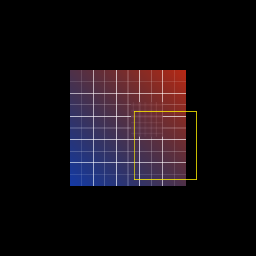
Renderer::apply_privacy_blur(region, radius, base, output) is the
first masked-filter primitive. It composes three previously shipped
pieces:
- Blur the entire
baseRT into a scratch RT viaBlurFilter::new(radius). - Clip the blurred copy to a
MaskShape::Rect { region }. Outside the rect, alpha drops to zero; inside, alpha stays at 1. - Compose the masked overlay over a fresh copy of the base via the
blit pipeline's
compose_over(alpha-blending). Outside the rect the base shows through pixel-perfect; inside the rect the blurred version wins.
The signature deliberately mirrors apply_filter — region + radius +
in/out RTs — so the caller (today: a story; tomorrow: the recorder
front-end) doesn't need to know about the three-RT pipeline behind it.
AUT-21 generalizes the rect to a rounded rect by swapping
MaskShape::Rect for MaskShape::RoundedRect; the rest of the
composition is unchanged.
Architecture decisions
- Three RTs, not two. A scratch
blur_rtholds the wholesale blurred copy; a scratchmasked_rtholds the clipped overlay. We could fuse blur+clip into a single shader, but reusing the existing filter and clip pipelines keeps each primitive single-purpose and testable in isolation. compose_overoverBlitPipeline::REPLACE. A second blit pipeline withBlendState::ALPHA_BLENDINGis needed so the masked overlay's transparent pixels don't punch holes in the base. The pipeline cache sees both as just two more entries inBlitPipeline.- Coordinates in NDC.
regionis in NDC ([-1, +1]²), matching the existing clip primitive. Pixel-space callers convert at their edge — keeps the renderer single-coord-system.
API
wisp::Renderer::apply_privacy_blur
Rounded privacy blur
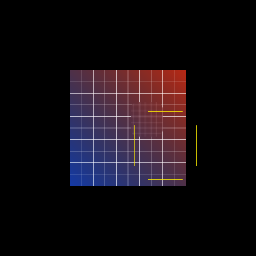
AUT-21 generalizes the AUT-20 primitive: apply_privacy_blur now
accepts any MaskShape, so MaskShape::RoundedRect { rect, radius }
produces a privacy redaction with cinematic rounded corners.
The renderer code is unchanged from AUT-20 — same three-stage pipeline
(blur → clip → compose). What changed is the API: the second argument
went from region: Rect to shape: MaskShape. AUT-20's call site
becomes MaskShape::rect(region) (zero-cost — the Rect constructor
just wraps the rect in the enum). AUT-22's strength slider, AUT-23's
solid redaction, and AUT-30/-34/-35's circle/ellipse/freehand variants
will all plug in here without further pipeline work.
Architecture
- One primitive, many shapes.
MaskShapeis an enum (Rect,RoundedRect; future:Circle,Ellipse,Path). The clip pipeline's WGSL switches on the enum's variant via uniform buffer data, so adding a shape is "new variant + SDF formula" — no new pipeline, no new bind group layout. - Bounding-rect-but-corner is a strict cutout. For rounded shapes
we want the corner pixels to remain perfectly equal to
base(no partial alpha leak). The SDF AA band is one output pixel wide; tests sample a few pixels in to escape the band and confirm bit-exact base bytes there.
API
wisp::Renderer::apply_privacy_blur
— now generic over MaskShape.
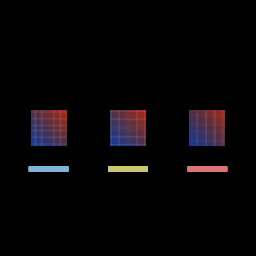
Privacy blur strengths
BlurStrength adds the renderer-data API for "how strong." The
PrivacyBlur struct now bundles a MaskShape (where) with a
BlurStrength (how strong); a new
Renderer::apply_privacy_blur_data(blur, base, output) consumes that
struct directly so the editor doesn't shuttle raw f32 radii.
#![allow(unused)]
fn main() {
use wisp::{BlurStrength, PrivacyBlur, math::Rect};

let blur = PrivacyBlur::rect(Rect::new(-0.5, -0.5, 1.0, 1.0))
    .with_strength(BlurStrength::Strong);
renderer.apply_privacy_blur_data(&app, &blur, &base, &output);
}
Variants:
| Variant | Pixel radius | Use |
|---|---|---|
Soft | 6 | Cinematic polish — shapes hint through. |
Medium (default) | 12 | Balanced redaction — text unreadable. |
Strong | 24 | Heavy redaction — wipes nearly all detail. |
Custom(f32) | clamped [0, 64] | Escape hatch for custom requirements. |
Architecture
- Symbolic enum + numeric escape hatch. Editor projects persist
BlurStrength::Soft(a name); the radius mapping can be retuned without breaking project files.Custom(f32)lets stories and tests pin an exact pixel value when they need determinism. - Builder-style overrides.
PrivacyBlur::rect(r).with_strength(s)reads top-down without forcing callers to hand-construct the struct. - Default = Medium. Unconfigured blurs land at the balanced preset, matching the most common publish-safety case.
API
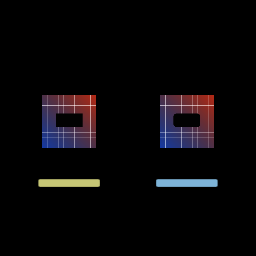
Solid redaction
Renderer::apply_solid_redaction(shape, color, base, output) is the
trust counterpart to privacy blur. Instead of attenuating detail
inside a shape (blur), it replaces every pixel inside the shape with
an opaque color. Reuse of the same MaskShape enum means rect /
rounded-rect / circle / ellipse / freehand-path all work identically
to the blur primitive.
#![allow(unused)]
fn main() {
use wisp::{Color, MaskShape, math::Rect};

let region = Rect::new(-0.5, -0.3, 1.0, 0.5);
renderer.apply_solid_redaction(
    &app,
    MaskShape::rounded_rect(region, 0.12),
    Color::rgba_u8(20, 20, 20, 255),
    &base,
    &output,
);
}
Architecture
- Same composition shape as privacy blur. Three RTs (
fill,masked,output); the only difference vsapply_privacy_bluris step 1 — instead of runningBlurFilteroverbase, we clear a scratch RT to the redaction color viaLoadOp::Clear. Keeps the pipeline cache small (one extra clear pass, no new shaders). Color → wgpu::Coloris a four-linef64::from. Linear f32 inputs map directly onto the clear-color floats. No gamma curve to worry about because the renderer's output format isRgba8Unorm(orRgba8UnormSrgbfor display, in which case wgpu does the gamma itself).- Use opaque colors. A non-1 alpha lets
baseshow through, which defeats the trust use case. Tests pin the inside-region pixel to(R, G, B, 255)exactly.
When to choose redaction over blur
Privacy blur is polish — text becomes unreadable but shape and motion still hint through. Solid redaction is trust — no information leaks through. A future inspector should communicate this in copy: solid is the safe default for high-stakes content (API keys, passwords, customer IDs); blur is the polished default for visual privacy (faces, screen names, low-stakes URLs).
API
wisp::Renderer::apply_solid_redaction
Spotlight / highlight
Renderer::apply_spotlight(shape, dim_color, base, output) is the
attention-guiding primitive. Pixels inside shape show through
unchanged; pixels outside are blended toward dim_color. Reuse of
the same MaskShape enum means rect / rounded-rect / future circle /
ellipse / freehand all work identically.
#![allow(unused)]
fn main() {
use wisp::{Color, MaskShape, math::Rect};

let focus = Rect::new(0.18, -0.6, 0.55, 0.45);
renderer.apply_spotlight(
    &app,
    MaskShape::rounded_rect(focus, 0.06),
    Color::rgba(0.0, 0.0, 0.0, 0.7),
    &base,
    &output,
);
}
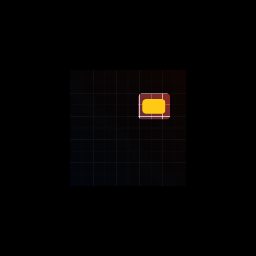
Architecture
Same composition as solid redaction with one bit flipped: the clip
pipeline runs in apply_inverted mode. The WGSL invert is a uniform
flag (invert: f32); same pipeline, no separate shader.
flowchart LR
    Fill["fill_rt<br/>(cleared to dim_color)"]
    Fill --> Clip["ClipPipeline<br/>(shape, invert=true)"]
    Clip --> Masked[masked_rt]
    Base[base] --> |"Blit::REPLACE"| Output
    Masked --> |"Blit::ALPHA_BLENDING (over)"| Output
Adding an invert flag to one shader is cheaper than building a second "outside-only" pipeline:
- One shader, one bind-group layout, one pipeline cache entry.
- The dispatcher's existing
apply_clipkeeps working as-is (defaultinvert=false). - AUT-29 (dim-outside) becomes a thin wrapper that sets a stronger
dim_coloralpha; no further renderer work.
API
wisp::Renderer::apply_spotlight
Dim outside
DimOutside + DimStrength are the renderer-data API for the
spotlight focus effect. DimStrength::{Light, Medium, Heavy, Custom(f32)} symbolically picks how dark the surrounding context
becomes; apply_dim_outside_data is a one-line wrapper over
apply_spotlight that passes a black overlay at the right alpha.
#![allow(unused)]
fn main() {
use wisp::{DimOutside, DimStrength, math::Rect};

let focus = Rect::new(-0.5, -0.55, 1.0, 0.7);
let dim = DimOutside::rounded_rect(focus, 0.08)
    .with_strength(DimStrength::Heavy);
renderer.apply_dim_outside_data(&app, &dim, &base, &output);
}
| Variant | Outside alpha | Use |
|---|---|---|
Light | 0.4 | Surrounding still legible. |
Medium (default) | 0.7 | Visibly dimmed but recognizable. |
Heavy | 0.9 | Cinematic spotlight-only. |
Custom(f32) | clamped [0, 1] | Exact alpha for stories/tests. |
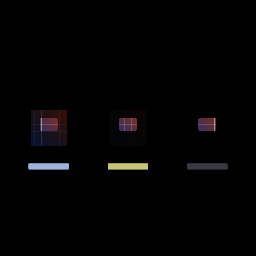
Architecture
DimOutside is a thin shell over the AUT-28 spotlight primitive. The
renderer code is unchanged from M-MASK.6; only the data API and the
strength enum are new. The same observation as PrivacyBlur/
BlurStrength: editor projects persist a stable name (Light,
Medium, Heavy), and the numeric alpha mapping can be retuned
later without breaking project files.
API
Ellipse mask
MaskShape::Ellipse { center, half_extents } adds anisotropic
elliptical cutouts. Unlike Circle, ellipse needs a real new SDF
since the rounded-rect formula doesn't degenerate to an ellipse with
unequal half-extents.
Note on
MaskShape::Circle(Linear: AUT-30) — a circle is just an ellipse withhalf_extents.x == half_extents.y, so it's available through this same family. Earlier work also exposedMaskShape::Circledirectly as a degenerateRoundedRect(half_extents = (r, r),corner_radius = r); both forms produce the same coverage texture. New code should preferEllipseorRoundedRect— they're the cleaner primitives.
#![allow(unused)]
fn main() {
use wisp::MaskShape;

let wide = MaskShape::ellipse(glam::Vec2::ZERO, glam::Vec2::new(0.85, 0.4));
let tall = MaskShape::ellipse(glam::Vec2::ZERO, glam::Vec2::new(0.4, 0.85));
}
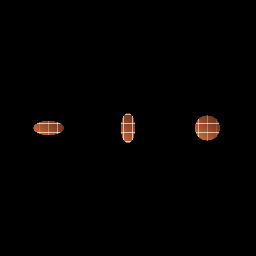
Architecture
A shape_kind: f32 flag in the clip uniforms picks between the
rounded-rect SDF and the new ellipse SDF in clip.wgsl. Same
pipeline, same bind-group layout — one extra if in the WGSL plus
one new SDF helper.
fn sdf_ellipse(p: vec2<f32>, half: vec2<f32>) -> f32 {
    let s = p / max(half, vec2<f32>(1e-6));
    let inside = dot(s, s) - 1.0;
    return inside * min(half.x, half.y);
}
Why a pseudo-SDF: the closed-form ellipse SDF involves a quartic
root, expensive on every fragment. The scaled-quadratic
(x/a)^2 + (y/b)^2 - 1 shares the same zero level set; multiplying
by min(a, b) puts the result in roughly NDC distance units so the
existing AA-band code (smoothstep over aa = 2/min(w, h)) still
produces a ~1-pixel-wide edge — visually indistinguishable from the
exact SDF for masking purposes.
All four mask primitives (apply_clip / apply_privacy_blur /
apply_solid_redaction / apply_spotlight / apply_dim_outside_data)
accept the new variant automatically — same pattern as
MaskShape::Circle from M-MASK.8.
API
Freehand path mask
Renderer::apply_path_clip(points, foreground, output) and
Renderer::apply_solid_redaction_path(points, color, base, output)
add freehand-shape masking. Unlike the SDF shapes, paths are
expressed as raw point lists; the WGSL runs a classic
crossings-test point-in-polygon at every pixel.
#![allow(unused)]
fn main() {
use glam::Vec2;
use wisp::Color;

let star: Vec<Vec2> = (0i16..10).map(|i| {
    let r = if i % 2 == 0 { 0.85 } else { 0.35 };
    let theta = f32::from(i) * std::f32::consts::PI / 5.0
        - std::f32::consts::FRAC_PI_2;
    Vec2::new(theta.cos() * r, theta.sin() * r)
}).collect();

renderer.apply_path_clip(&app, &star, &foreground, &output);
renderer.apply_solid_redaction_path(
    &app,
    &star,
    Color::rgba_u8(20, 20, 20, 255),
    &base,
    &output,
);
}
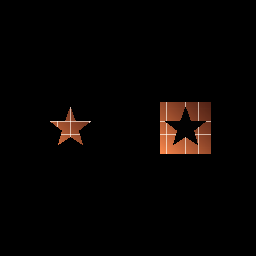
Architecture
A new PathClipPipeline lives alongside the SDF-based
ClipPipeline. The WGSL fragment shader (path_clip.wgsl):
- Accepts up to 32 polygon vertices via a uniform buffer
(
array<vec4<f32>, 32>for alignment; only.xyused). - Runs the classic crossings test (Jordan curve theorem) — for each
edge
(a, b)of the closed polygon, tally crossings of the horizontal ray going+xfrom the fragment point. Odd parity = inside. - Multiplies the foreground sample's alpha by the inside test.
V1 is hard-edge (no AA). The rasterized output is integer-pixel
accurate; AA can be retrofitted later via a distance-to-nearest-edge
approximation in the same fragment shader.
The 32-point cap is a uniform-buffer size limit. Above that, the storage-buffer route (or polygon-segment-batched render passes) unlocks larger paths.
Why this isn't a MaskShape::Path variant
MaskShape is Copy — every variant holds POD data so the enum
stays cheap to pass by value through the auto-dispatch path. A path
needs an owned Vec<Vec2> (or Arc<[Vec2]>) to store the points,
which would force MaskShape to drop Copy and adopt Clone. The
ripple to existing call sites isn't worth it for a premium-shape
expansion. Path-clip lives next to the SDF clip, accessed via its
own dedicated public methods.
API
Dynamic mask textures
Renderer::generate_mask_texture(shape, w, h) and the path variant
Renderer::generate_path_mask_texture(points, w, h) produce
single-purpose coverage RenderTextures. Output stores (m, m, m, m)
so consumers can sample as alpha (composition) or as RGB (display /
debug). An inverted variant (generate_mask_texture_inverted) does
the same with the mask flipped — useful for spotlight / dim-outside.
#![allow(unused)]
fn main() {
use wisp::{MaskShape, math::Rect};

let mask = renderer.generate_mask_texture(
    &app,
    MaskShape::rounded_rect(Rect::new(-0.5, -0.5, 1.0, 1.0), 0.2),
    256,
    256,
);
// `mask` is an RGBA8 RT with coverage in alpha (and mirrored in RGB
// for visual debugging). Sample `.a` for composition.
}

Architecture
This primitive owns only coverage. The existing apply_clip /
apply_privacy_blur / apply_solid_redaction / apply_spotlight /
apply_path_clip primitives still compute SDF + foreground sample in
a single shader; M-DYN.1 introduces the separated path so future
work can:
- Cache the mask (M-DYN.2 / AUT-44) — identical regions across frames don't regenerate.
- Reuse one mask across multiple effects — privacy blur and redaction over the same region don't run the SDF twice.
- Drive masks from vector data (M-VEC.3 / AUT-55) — vector shapes become alpha textures via the same primitive.
- Refactor the existing combined-shader primitives onto this model in M-VEC.4-6.
flowchart LR
    Shape[shape data] --> Pipeline[MaskTexturePipeline]
    Pipeline --> Alpha["alpha RT (m, m, m, m)"]
    Alpha --> Mask["sample.a × foreground = masked"]
Two pipelines under the hood:
MaskTexturePipeline—mask_texture.wgsl. Same SDF math asclip.wgsl(rounded-rect / ellipse + degenerate cases for rect / circle), outputvec4(m, m, m, m). No texture binding.PathMaskTexturePipeline—path_mask_texture.wgsl. Same uniform-buffered point-in-polygon aspath_clip.wgsl, hard edges for V1, 32-vertex cap.
API
wisp::Renderer::generate_mask_texturewisp::Renderer::generate_mask_texture_invertedwisp::Renderer::generate_path_mask_texture
Mask texture cache
The textures the cache stores — alpha RTs from M-DYN.1's
MaskTexturePipeline. Static scenes (a fixed-position privacy
crop, a stable webcam overlay) regenerate these once and reuse the
cached Arc<RenderTexture> across every frame.
Renderer::cached_mask_texture(shape, w, h) and the inverted
companion return Arc<RenderTexture>s memoized on (shape data, dimensions, invert flag). Identical inputs across frames return the
same GPU texture instead of regenerating.
#![allow(unused)]
fn main() {
use wisp::{MaskShape, math::Rect};

// First call: GPU work. Subsequent calls with the same args: O(1).
let mask = renderer.cached_mask_texture(
    &app,
    MaskShape::rounded_rect(Rect::new(-0.5, -0.5, 1.0, 1.0), 0.2),
    256,
    256,
);

// Cache observability.
let (hits, misses) = renderer.mask_cache_stats();
println!("mask cache: {hits} hits, {misses} misses");
}
The cache backs M-VEC.4..6's vector-driven mask refactor: when a
PrivacyBlur / DimOutside / vector mask is re-evaluated each
frame, identical static regions produce the same key and reuse the
existing texture.
Architecture
- Keying.
MaskKeybit-casts everyf32field in the shape (rect coords, radius, ellipse half-extents) tou32, then hashes the resulting[u32; N]representation. Exact-bit equality means a re-emitted identical shape value Just Works; NaN is handled consistently (canonical NaN bits are equal to themselves). - Eviction. FIFO at
MAX_ENTRIES = 64. Backed by aHashMap+VecDeque; on overflow the oldest insertion is dropped. The cap bounds GPU memory at ~16 MB worst case (64 × 256² × 4 bytes), well under the budget on integrated GPUs. - Sharing. Returns
Arc<RenderTexture>so the cache and the caller can both hold references. Drop theArcand the cache may still hold the texture; clear the cache and any outstandingArcstill owns its data until the last reference goes. - Path masks not cached in V1. Hashing
Vec<glam::Vec2>is non-trivial and freehand polygons typically mutate between frames. Usegenerate_path_mask_texturedirectly; manage caching at the call site if needed.
API
wisp::Renderer::cached_mask_texturewisp::Renderer::cached_mask_texture_invertedwisp::Renderer::mask_cache_statswisp::Renderer::clear_mask_cache
Vector shape model
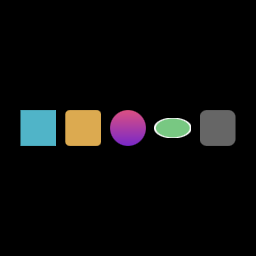
Sample Vectors rendered as a contact sheet — rounded rect,
circle, ellipse, freehand path, line stroke. Each tile is the output
of Renderer::render_stage after building a one-node Vector
scene. The shape data shown here is exactly what VectorShape +
Vector carry — the rest of this chapter is the type surface that
produces it.
VectorShape and Vector are Wisp's shared shape language. Every
visual tool — masks, crops, highlights, callouts, cursor effects,
later SVG import — drives off the same data so each tool doesn't
invent its own geometry model.
This is not SVG support. It is Wisp's own deterministic primitive set, shaped to ship under our budget. M-VEC.13 may add a small SVG subset import (rect, circle, ellipse, path); full SVG (CSS cascade, animations, filters, external resources) is explicitly deferred — see AUT-71/72/73 guardrails.
#![allow(unused)]
fn main() {
use glam::Vec2;
use wisp::{Color, Fill, Vector, VectorShape, VectorStroke, math::Rect};

let circle = Vector::new(VectorShape::circle(Vec2::ZERO, 0.4))
    .with_fill(Fill::Solid(Color::rgba(1.0, 0.5, 0.0, 1.0)))
    .with_stroke(VectorStroke::new(0.02, Color::WHITE))
    .with_opacity(0.9);
}
Shape catalog
VectorShape is non-exhaustive. Initial variants:
| Variant | Notes |
|---|---|
Rect { rect } | Sharp-corner axis-aligned. |
RoundedRect { rect, radius } | Corner radius in NDC. |
Circle { center, radius } | Square bounding box. |
Ellipse { center, half_extents } | Anisotropic. |
Path { points: Vec<Vec2> } | Closed polygon, up to 32 vertices. |
Future shape variants (M-VEC.10 path stroke commands, M-VEC.13 SVG
import, M-VEC.16 feathered) will extend the enum without breaking
callers (#[non_exhaustive]).
Compatibility with MaskShape
MaskShape (the analytic SDF subset shipped during M-MASK) and
VectorShape overlap in their non-path variants. Conversion is
explicit:
#![allow(unused)]
fn main() {
let v = VectorShape::rounded_rect(rect, 0.2);
let mask: Option<MaskShape> = v.as_mask_shape();
// Some(MaskShape::RoundedRect { rect, radius: 0.2 })
}
This is what M-VEC.4..6 will use to refactor existing mask primitives onto the vector model without rewriting the SDF shader.
For paths: VectorShape::Path carries an owned Vec<Vec2> so
VectorShape is Clone, not Copy. That's the same reason
MaskShape::Path was never added — see M-MASK.10's chapter.
as_path_points() exposes the slice for the path-mask machinery.
API
Render vector primitives
Vector::add_to_stage(&mut stage, parent) (and the underlying
to_graphics() lower-level method) make a Vector primitive
renderable. Analytic shapes (rect / rounded-rect / circle / ellipse)
convert directly into a Graphics node that the existing graphics
pipeline draws.
#![allow(unused)]
fn main() {
use glam::Vec2;
use wisp::{Color, Fill, Transform, Vector, VectorShape, VectorStroke};
use wisp::math::Rect;

let root = stage.root();
let _id = Vector::new(VectorShape::ellipse(Vec2::ZERO, Vec2::new(1.0, 0.55)))
    .with_fill(Fill::Solid(Color::rgba_u8(120, 200, 130, 255)))
    .with_stroke(VectorStroke::new(0.06, Color::WHITE))
    .with_transform(Transform {
        position: Vec2::new(0.35, 0.0),
        scale: Vec2::splat(0.14),
        ..Transform::default()
    })
    .add_to_stage(&mut stage, root);
}
Architecture
This is a thin layer on top of the existing graphics rasterizer
— no new pipeline, no new shader. Vector::to_graphics() walks the
match arms and emits the matching Graphics::draw_* call:
VectorShape | Graphics call |
|---|---|
Rect { rect } | draw_rect(rect) |
RoundedRect { rect, radius } | draw_rounded_rect(rect, radius) |
Circle { center, radius } | draw_ellipse(center, Vec2::splat(radius)) |
Ellipse { center, half_extents } | draw_ellipse(center, half_extents) |
Path { points } | None (deferred to M-VEC.10) |
Fill and VectorStroke route into the existing Graphics::fill()
and Graphics::stroke() setters. Transform lands on the produced
Graphics::container.transform.
opacity is folded into fill + stroke colors as an alpha multiplier
at conversion time. The renderer doesn't have a per-node opacity
channel today; this is the practical equivalent for V1 and matches
how PixiJS-style stacks have historically modeled "opacity on the
graphics primitive" (multiply into the paint).
Path rendering — deferred
VectorShape::Path returns None from to_graphics() because the
existing graphics pipeline doesn't draw paths as visible geometry.
M-VEC.10 (AUT-62) lands move_to / line_to / quadratic / cubic / close / stroke / fill path commands. Until then, paths can only
drive masks via the path-clip and path-mask-texture primitives.
API
Render vectors to alpha-mask textures
Output of the bridge: the M-DYN.1 alpha contact sheet — rect,
rounded-rect, circle, ellipse, freehand star. Every tile is what
generate_vector_mask_texture produces for the corresponding
Vector. The bridge picks between the analytic SDF path and the
freehand path mask based on the shape variant; the resulting alpha
RT is byte-identical to what generate_mask_texture(MaskShape::…)
or generate_path_mask_texture(&[Vec2]) would emit directly.
Renderer::generate_vector_mask_texture(vector, w, h) and the
cached companion bridge a [Vector] primitive to the M-DYN.1 alpha
mask texture path. The bridge is a single dispatch:
flowchart LR
    Vector --> Bridge{vector.shape}
    Bridge -->|analytic SDF| Mask["generate_mask_texture<br/>(MaskShape, w, h)"]
    Bridge -->|path points| PathMask["generate_path_mask_texture<br/>(&[Vec2], w, h)"]
Only vector.shape is consulted — fill / stroke / opacity /
transform don't affect mask coverage.
#![allow(unused)]
fn main() {
use wisp::{Vector, VectorShape, math::Rect};

let vec = Vector::new(VectorShape::rounded_rect(
    Rect::new(-0.5, -0.5, 1.0, 1.0),
    0.2,
));

// Same alpha texture as `generate_mask_texture(MaskShape::RoundedRect{..})`
// — the bridge adds zero pixel-level difference.
let mask = renderer.generate_vector_mask_texture(&app, &vec, 256, 256);

// Cached version — analytic shapes go through the M-DYN.2 cache;
// path shapes bypass (V1 limitation).
let cached_mask = renderer.cached_vector_mask_texture(&app, &vec, 256, 256);
}
This is the bridge that M-VEC.4..6 will use to refactor existing mask primitives onto vector data:
- M-VEC.4 (privacy blur) —
Vector→ mask texture → blur kernel composed only inside the mask. - M-VEC.5 (solid redaction) —
Vector→ mask texture → solid fill composed only inside the mask. - M-VEC.6 (rounded screen / webcam crops) —
Vector→ mask texture → clip pass over the recording surface.
Architecture
The dispatch reads VectorShape and routes:
Rect/RoundedRect/Circle/Ellipse→as_mask_shape()→ analytic SDF generator.Path { points }→as_path_points()→ polygon mask generator.- Future variant (catalog is
#[non_exhaustive]) → empty mask + adebug_assert!so we notice during development.
Cached version mirrors the same dispatch:
- Analytic →
cached_mask_texture(...)→ goes through the M-DYN.2 cache. - Path → fresh
generate_path_mask_texture(...)wrapped inArc; bypasses the cache (paths can't currently be hashed; documented in M-DYN.2's chapter).
API
Privacy blur on vector masks
Output is pixel-identical to the M-MASK.3 rounded privacy blur —
the same blur radius, the same rounded-rect coverage, just driven by
a Vector instead of a MaskShape. The bridge picks the analytic
SDF path; the cached mask texture is shared across frames and across
effects.
Renderer::apply_privacy_blur_vector(vector, radius, base, output)
drives the privacy-blur composition from a Vector instead of a
MaskShape. Two practical wins:
- Path support. Freehand polygons can now drive privacy blur
directly. Previously you had to call
apply_path_clipagainst a manually-blurred RT and stitch the composition yourself. - Cache reuse. The mask texture comes from
cached_vector_mask_texture(...), so a static privacy region re-evaluated each frame skips regeneration.
The old apply_privacy_blur(shape: MaskShape, ...) API still works
unchanged. Internally it now wraps the MaskShape in a Vector and
forwards to apply_privacy_blur_vector. Output is byte-equivalent
to the previous inline-clip implementation — the existing M-MASK.2 /
M-MASK.3 / M-MASK.4 tests pass without modification.
#![allow(unused)]
fn main() {
use glam::Vec2;
use wisp::{Vector, VectorShape, math::Rect};

// New: path-driven privacy blur (impossible before M-VEC.4).
let diamond = Vector::new(VectorShape::path(vec![
    Vec2::new( 0.0,  0.6),
    Vec2::new( 0.6,  0.0),
    Vec2::new( 0.0, -0.6),
    Vec2::new(-0.6,  0.0),
]));
renderer.apply_privacy_blur_vector(&app, &diamond, 12.0, &base, &output);

// Old API still works — equivalent to apply_privacy_blur_vector
// with `Vector::new(VectorShape::rect(...))`.
renderer.apply_privacy_blur(&app, MaskShape::rect(rect), 8.0, &base, &output);
}
Architecture
The new pipeline replaces the inline clip.wgsl pass with a
two-shader sequence: generate the mask once, then compose. Both
existing M-MASK call paths route through it.
flowchart LR
    Base[base] -->|BlurFilter radius| BlurRT[blur_rt]
    Vector[vector] -->|generate_vector_mask_texture| MaskRT[mask_rt]
    BlurRT --> Compose["mask_compose pass<br/>blur_rt × mask_rt"]
    MaskRT --> Compose
    Compose --> MaskedRT[masked_rt]
    Base ===>|"Blit::REPLACE"| Output
    MaskedRT -->|compose_over| Output
New primitive: Renderer::apply_mask_to_texture(foreground, mask, output) is the public surface for the mask × foreground step.
Documented separately so AUT-57 (solid redaction) and AUT-58
(rounded crop) reuse it.
The cost of an extra render pass per primitive call is offset by mask-cache hits. Static masks (the common case in screen recordings) regenerate exactly once per (shape, dims, invert) tuple.
Existing M-MASK chapters — preserved
The M-MASK.2 (rectangle privacy blur), M-MASK.3 (rounded privacy blur), and M-MASK.4 (configurable strength) chapters describe the public API — that surface is unchanged. The architecture sections in those chapters describe the previous inline-clip pipeline; that description is now historical. The active pipeline is the one documented above.
API
wisp::Renderer::apply_privacy_blurwisp::Renderer::apply_privacy_blur_vectorwisp::Renderer::apply_mask_to_texture
Solid redaction on vector masks
Output is pixel-identical to the M-MASK.5 solid redaction — same
coverage, same fill color, just driven by a Vector instead of a
MaskShape. Now also accepts path-shaped vectors (custom polygons,
not just analytic shapes).
Renderer::apply_solid_redaction_vector(vector, color, base, output)
drives the solid-redaction composition from a Vector. Like
M-VEC.4's privacy blur, the existing apply_solid_redaction(shape: MaskShape, ...) API stays unchanged — internals route through the
shared mask + compose path. The 4 existing M-MASK.5 tests pass
byte-equivalent.
#![allow(unused)]
fn main() {
use glam::Vec2;
use wisp::{Color, Vector, VectorShape};

// Path-driven redaction (impossible before M-VEC.5):
let diamond = Vector::new(VectorShape::path(vec![
    Vec2::new( 0.0,  0.6),
    Vec2::new( 0.6,  0.0),
    Vec2::new( 0.0, -0.6),
    Vec2::new(-0.6,  0.0),
]));
renderer.apply_solid_redaction_vector(
    &app,
    &diamond,
    Color::rgba_u8(10, 30, 200, 255),
    &base,
    &output,
);
}
Architecture
Identical structure to M-VEC.4. Only step 1 (the what's inside) differs from privacy blur:
| Stage | Privacy blur (M-VEC.4) | Solid redaction (M-VEC.5) |
|---|---|---|
| 1 | BlurFilter(radius) | clear fill_rt to color |
| 2 | cached_vector_mask_texture(vec) | same |
| 3 | apply_mask_to_texture(blur, mask) | apply_mask_to_texture(fill, mask) |
| 4 | blit base + compose_over | same |
Reuses the M-VEC.4 MaskComposePipeline and the M-DYN.2 mask cache
without adding any new pipelines or shaders.
API
Clip + spotlight on vector masks
|
|
|
Output is pixel-identical to the M-MASK.1 / M-MASK.6 equivalents —
the vector path lets you drive both off the same Vector value, and
adds freehand-polygon variants of each.
Closes the M-VEC.4..6 refactor zone. apply_clip (the rounded-crop
foundation from M-MASK.1) and apply_spotlight (M-MASK.6) now route
through the shared mask + compose path. Path-driven variants of both
land here.
#![allow(unused)]
fn main() {
use glam::Vec2;
use wisp::{Color, Vector, VectorShape};

// Path-driven crop (impossible before M-VEC.6):
let diamond = Vector::new(VectorShape::path(vec![
    Vec2::new( 0.0,  0.6),
    Vec2::new( 0.6,  0.0),
    Vec2::new( 0.0, -0.6),
    Vec2::new(-0.6,  0.0),
]));
renderer.apply_clip_vector(&app, &diamond, &foreground, &output);

// Path-driven spotlight (impossible before M-VEC.6):
renderer.apply_spotlight_vector(
    &app,
    &diamond,
    Color::rgba(0.0, 0.0, 0.0, 0.7),
    &base,
    &output,
);
}
Architecture
apply_clip(and the newapply_clip_vector) — usescached_vector_mask_texture+apply_mask_to_texture. Output is byte-equivalent to the previousClipPipelinepath.apply_spotlight_vector— same pattern but with the inverted mask. Analytic shapes usecached_mask_texture_inverted; the path variant routes throughpath_clip.applyininvert: truemode (the cached path-mask doesn't have an inverted form yet — straightforward future extension).
Auto-dispatch path NOT refactored
render_stage auto-dispatches Container::clip = Some(MaskShape)
through the inline ClipPipeline directly. That path is hot —
called per dispatched node every frame — and the existing single-
shader implementation already optimizes it. The vector-mask refactor
adds an extra render pass per call which is fine for explicit
primitives (offset by mask cache hits) but would be a regression on
the hot path. The auto-dispatch keeps using the inline clip
pipeline; explicit apply_clip calls go through the new path.
API
wisp::Renderer::apply_clipwisp::Renderer::apply_clip_vectorwisp::Renderer::apply_spotlightwisp::Renderer::apply_spotlight_vector
Export & copy-frame mask parity
Headless export of a masked scene — the read_pixels PNG is
byte-identical to what the preview surface shows for the same
Stage. That parity is the contract this chunk pins down: every
mask primitive (apply_clip, apply_privacy_blur,
apply_solid_redaction, apply_spotlight, apply_dim_outside)
produces the same pixels in preview and in export.
wisp has a single Renderer::render_stage entry point that drives
both preview and headless export. Anything read_pixels returns is
the same bytes the preview surface shows. AUT-27 and AUT-33 lock in
that "same code path, same bytes" contract for every mask primitive.
What's tested
-
AUT-27 export parity (
crates/wisp/tests/export_mask_parity.rs) — render the same scene to two distinctRenderTextures back-to- back and assert the byte slices are equal. Five primitives covered:apply_clip,apply_solid_redaction,apply_spotlight,apply_privacy_blur, andapply_clip_vector(the freehand-path variant). -
AUT-33 copy-frame parity (
crates/wisp/tests/copy_frame_mask_parity.rs) — render a masked scene, callread_pixels(the surface a future copy-frame button will sit on), and verify pixels INSIDE the mask region show the masked content while pixels OUTSIDE show the base unchanged.
Together: nothing about the mask primitives is preview-only. The exported file and the copied frame both honor every mask the user applies.
Why this matters
Trust. If apply_solid_redaction in preview shows a black box but
the export omits it, a creator could publish a video with secrets
visible. The renderer-first architecture eliminates the possibility
by routing every output through the same code path — and these
tests catch any future regression that tries to diverge them.
Architectural rule (from AUT-27)
The same scene composition function should drive editor preview, headless export, and copied frame/screenshot. Avoid separate preview-only mask code.
Already true today — Renderer::render_stage is the only path that
produces frames. These tests guard against future drift.
Composition primitives with explicit masks
Linear: AUT-45 · AUT-46 · AUT-47 · AUT-48
Contact sheet of the alpha mask textures M-DYN.1 produces — rect, rounded-rect, circle, ellipse, freehand star. The M-DYN.3..6 composition primitives take one of these as input and combine it with a base RT to produce the final masked output (privacy blur, solid redaction, spotlight, clip). The mask generation is decoupled from composition so callers can share one alpha across multiple effects in the same frame.
The high-level mask primitives (apply_privacy_blur,
apply_solid_redaction, apply_spotlight, apply_clip*) generate
the mask texture internally. Sometimes you want the mask externally:
share one alpha texture across multiple effects in the same frame
without regenerating it three times.
These four explicit-mask companion primitives accept the mask as a parameter:
| Primitive | What's inside | What's outside | Issue |
|---|---|---|---|
compose_blur_through_mask(base, radius, mask, output) | blurred base | base unchanged | M-DYN.3 / AUT-45 |
compose_solid_through_mask(base, color, mask, output) | solid color | base unchanged | M-DYN.4 / AUT-46 |
compose_dim_through_inverted_mask(base, dim_color, inverted_mask, output) | base unchanged (mask=0) | dim_color over base (mask=1) | M-DYN.5 / AUT-47 |
apply_clip_vector(vector, fg, output) with Circle / RoundedRect | webcam frame | transparent | M-DYN.6 / AUT-48 |
#![allow(unused)]
fn main() {
use wisp::{MaskShape, math::Rect};

let region = Rect::new(-0.4, -0.4, 0.8, 0.8);
let shape = MaskShape::rounded_rect(region, 0.15);

// Generate the mask once.
let mask = renderer.generate_mask_texture(&app, shape, w, h);

// Use it for blur, redaction, and spotlight on the same frame.
renderer.compose_blur_through_mask(&app, &base, 12.0, &mask, &out_blur);
renderer.compose_solid_through_mask(
    &app, &base, Color::rgba_u8(20, 20, 20, 255), &mask, &out_redact,
);
let inverted = renderer.generate_mask_texture_inverted(&app, shape, w, h);
renderer.compose_dim_through_inverted_mask(
    &app, &base, Color::rgba(0.0, 0.0, 0.0, 0.7), &inverted, &out_spot,
);
}
Architecture
These primitives are the explicit-mask versions of the high-level methods. The high-level methods now route through them:
flowchart TD
    A["apply_privacy_blur(MaskShape, ...)"] --> B[wraps shape in Vector]
    B --> C["apply_privacy_blur_vector(Vector, ...)"]
    C --> D["cached_vector_mask_texture(Vector)"]
    D --> E[mask]
    C --> F["compose_blur_through_mask(<br/>base, radius, mask, output)"]
    E --> F
Same pattern for redaction and spotlight. The lower-level primitives are public so callers that already have a mask texture (maybe shared across effects, maybe loaded from a file, maybe from a custom shader) can use them directly.
M-DYN.6 — webcam crops are already there
apply_clip_vector(vector, foreground, output) already accepts
VectorShape::Circle and VectorShape::RoundedRect. M-DYN.6 spec
says webcam overlays should crop through the dynamic mask path —
that's exactly what apply_clip_vector does (mask generated via
MaskTexturePipeline, composed via MaskComposePipeline). No new
primitive needed; the chapter exists to make the connection
explicit. See M-VEC.6 chapter for
details.
Tests
crates/wisp/tests/blur_mask_reuse.rs(M-DYN.3) — explicit-mask blur matches the high-level path; one mask shared across blur andapply_mask_to_textureproduces correct output.crates/wisp/tests/compose_through_mask.rs(M-DYN.4 + .5) — explicit-mask redaction and spotlight both match their high-level counterparts byte-equivalent.
API
wisp::Renderer::compose_blur_through_maskwisp::Renderer::compose_solid_through_maskwisp::Renderer::compose_dim_through_inverted_maskwisp::Renderer::apply_clip_vector
Vector spotlight + inverse-dim
|
|
|
apply_spotlight_vector (M-VEC.6) and apply_dim_outside_vector
(M-VEC.7, this chunk) are the vector-driven entry points for guiding
viewer attention. New in this chunk: apply_dim_outside_vector —
the path-accepting companion to apply_dim_outside_data.
#![allow(unused)]
fn main() {
use glam::Vec2;
use wisp::{DimStrength, Vector, VectorShape};

let diamond = Vector::new(VectorShape::path(vec![
    Vec2::new( 0.0,  0.6),
    Vec2::new( 0.6,  0.0),
    Vec2::new( 0.0, -0.6),
    Vec2::new(-0.6,  0.0),
]));
renderer.apply_dim_outside_vector(
    &app,
    &diamond,
    DimStrength::Heavy,
    &base,
    &output,
);
}
| Method | Shape source | Strength source |
|---|---|---|
apply_spotlight(MaskShape, Color, ...) | analytic SDF | raw Color alpha |
apply_spotlight_vector(Vector, Color, ...) | any vector (incl. paths) | raw Color alpha |
apply_dim_outside_data(DimOutside, ...) | analytic SDF | DimStrength preset |
apply_dim_outside_vector(Vector, DimStrength, ...) (new) | any vector (incl. paths) | DimStrength preset |
Tests
crates/wisp/tests/dim_outside_vector.rs:
vector_dim_outside_matches_data_route_for_analytic_shape— byte-equivalence with the existingapply_dim_outside_datapath.vector_dim_outside_path_dims_around_polygon— diamond polygon preserves base inside, dims red to mid-range withDimStrength::Medium.
Highlight + callout primitives
Highlight (M-VEC.8) and Callout (M-VEC.9) are preset constructors
for the most common attention-guiding overlays. They produce plain
Vectors — same data type as the rest of the M-VEC catalog — so they
chain through every existing builder (with_transform,
with_opacity, add_to_stage) and feed into vector storyboards
(M-VEC.12).
#![allow(unused)]
fn main() {
use glam::Vec2;
use wisp::{Callout, Color, Highlight, VectorShape, VectorStroke, math::Rect};

let outline = Highlight::outline(
    VectorShape::rounded_rect(Rect::new(-0.7, 0.25, 0.45, 0.25), 0.06),
    Color::rgba_u8(255, 230, 80, 255),
    0.025,
);

let label = Callout::label_box(
    Rect::new(-0.6, -0.4, 0.6, 0.25),
    Color::rgba_u8(220, 170, 80, 230),
    Some(VectorStroke::new(0.012, Color::WHITE)),
    0.04,
);

let badge = Callout::badge(Vec2::new(0.55, 0.5), 0.085, Color::rgba_u8(220, 60, 50, 255));
}
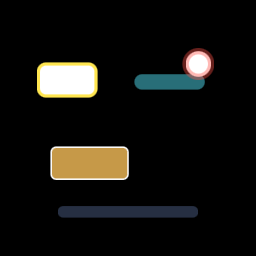
Catalog
Highlight (M-VEC.8 / AUT-60)
| Constructor | Returns | Use |
|---|---|---|
outline(shape, color, width) | stroke-only Vector | Glowing border around buttons, fields. |
filled(shape, color, alpha) | filled Vector with multiplied alpha | Translucent highlight; underlying content visible. |
pill(rect, color, alpha) | rounded-rect with radius = h/2 | Menu-item / chip / inline emphasis. |
glow(shape, color, width) | stroke at 0.4× alpha | Cheap glow approximation. True Gaussian glow lands with M-DYN.7 feathering. |
Callout (M-VEC.9 / AUT-61)
| Constructor | Returns | Use |
|---|---|---|
label_box(rect, fill, stroke, radius) | rounded-rect with optional outline | Annotation cards. |
badge(center, radius, fill) | filled circle | Numbered step markers, dots. |
caption_pill(rect, fill) | wide rounded-rect, radius = h/2 | Single-line bottom captions. |
Known gaps
- Arrow / pointer-line callouts need stroke-along-path commands
(M-VEC.10 / AUT-62). Once that lands, an
arrow_to(from, to)constructor can join theCalloutmodule without breaking changes. - True Gaussian glow depends on M-DYN.7 (AUT-49 P2) feathering.
Until then,
Highlight::glowis a wider-stroke approximation.
API
Vector path stroke + boolean ops
Two M-VEC chunks shipped in one chapter — both extend the vector catalog with primitives that the rest of the M-VEC track depends on.
M-VEC.10 — Path stroke (AUT-62)
PathBuilder chains move_to / line_to / quad_to / cubic_to / close
commands. Path::flatten(tolerance) does adaptive Bezier
subdivision via the perpendicular-distance test, returning a
Vec<Vec2> polygon. Path::stroke_to_graphics(width, color, tolerance) rasterizes the path as a stroked Graphics (one
draw_line per flattened segment).
#![allow(unused)]
fn main() {
use glam::Vec2;
use wisp::{Color, PathBuilder};

let curve = PathBuilder::new()
    .move_to(Vec2::new(-0.6, -0.4))
    .quad_to(Vec2::new(0.0, 0.6), Vec2::new(0.6, -0.4))
    .build()
    .stroke_to_graphics(0.025, Color::rgba_u8(80, 200, 240, 255), 0.005);
}
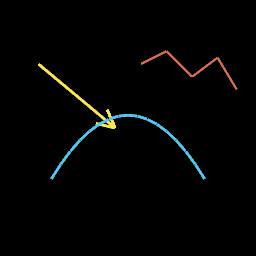
Callout::arrow_to(from, to, width, color) is the first
consumer — it's the path-stroke companion to the static
Callout::label_box / badge / caption_pill from M-VEC.9.
V1 limitations:
- Joins between segments are butt-style. Mitered / round joins await follow-up.
Path::flattenreturns the raw polygon; consumers feed it intoVectorShape::Pathfor masking. The 32-vertexMAX_PATH_POINTScap inpath_clip.wgslstill applies for masking; visible stroked rendering doesn't share that cap.
M-VEC.11 — Mask boolean ops (AUT-63)
Renderer::combine_masks(a, b, op, output) produces a new mask
texture from two inputs and a MaskCombineOp:
| Op | Result |
|---|---|
Union | max(a, b) — pixel covered by either mask. |
Intersect | a × b — pixel covered by both. |
Subtract | a × (1 − b) — pixel covered by a but not b. |
#![allow(unused)]
fn main() {
use wisp::{MaskCombineOp, MaskShape, math::Rect};

let a = renderer.generate_mask_texture(&app, MaskShape::circle(...), w, h);
let b = renderer.generate_mask_texture(&app, MaskShape::circle(...), w, h);

let out = RenderTexture::with_format(&app, w, h, format);
renderer.combine_masks(&app, &a, &b, MaskCombineOp::Intersect, &out);
}
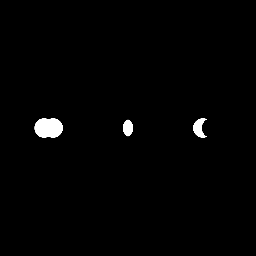
Outputs are regular alpha-mask RenderTextures, so they flow into
any downstream composition primitive (apply_mask_to_texture,
compose_blur_through_mask, etc.).
Backed by mask_combine.wgsl: one shader, three op codes, branches
on a uniform u32.
Lesson — WGSL vec3 alignment (CLAUDE.md)
The boolean-ops uniform struct shipped with a layout mismatch on
first run — WGSL vec3<u32> is 16-byte aligned, so a struct
{ op: u32, _pad: vec3<u32> } is 32 bytes, not 16. The matching
Rust struct must pad to the same size or wgpu rejects the bind
group. Captured in CLAUDE.md "WGSL ↔ Rust uniform layout."
Vector primitive examples gallery
Closes the M-VEC track. Single-canvas overview of the catalog — glance to confirm the surface, then drill into the chunk chapter for any specific primitive.
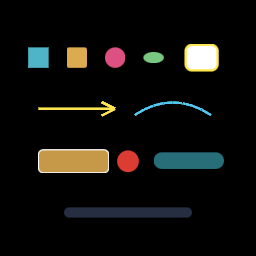
| Region | Primitive | Chapter |
|---|---|---|
| Top row | Basic shapes — Rect / RoundedRect / Circle / Ellipse | vector-render |
| Top right | Highlight::outline ring | vector-highlight-callout |
| Middle | Callout::arrow_to + PathBuilder::quad_to | vector-path-stroke |
| Lower | Callout::label_box, badge, Highlight::pill | vector-highlight-callout |
| Bottom | Callout::caption_pill | vector-highlight-callout |
M-VEC track index
| Chunk | Issue | Primitive |
|---|---|---|
| M-VEC.1 | AUT-53 | Vector shape primitive model |
| M-VEC.2 | AUT-54 | Render vectors as scene geometry |
| M-VEC.3 | AUT-55 | Vector → alpha-mask texture bridge |
| M-VEC.4 | AUT-56 | Privacy blur uses vector masks |
| M-VEC.5 | AUT-57 | Solid redaction uses vector masks |
| M-VEC.6 | AUT-58 | Clip + spotlight use vector masks |
| M-VEC.7 | AUT-59 | Vector spotlight + inverse-dim |
| M-VEC.8 | AUT-60 | Highlight overlay primitives |
| M-VEC.9 | AUT-61 | Callout primitives |
| M-VEC.10 | AUT-62 | Path stroke commands |
| M-VEC.11 | AUT-63 | Mask boolean operations |
| M-VEC.12 | AUT-64 | This gallery (close) |
M-DYN track index
| Chunk | Issue | Primitive |
|---|---|---|
| M-DYN.1 | AUT-43 | Dynamic alpha-mask texture primitive |
| M-DYN.2 | AUT-44 | Mask texture cache |
| M-DYN.3-6 | AUT-45/-46/-47/-48 | Explicit-mask composition primitives |
Companion mask + export chapters
- export-mask-parity — AUT-27 + AUT-33, preview / export / copy-frame parity tests.
Path boolean ops — union, intersection, difference, XOR
wisp's path-booleans engine. In-house polygon clipping, no third- party crate, hyper-wgpu focused. Powers shape composition for callouts, cutouts, intersections, and ring highlights.
The full design rationale lives in _docs/adr/M-BOOL-backend.md;
this chapter is the user-facing tour.
API at a glance
#![allow(unused)]
fn main() {
use wisp::path::{Path, PathBuilder};
use wisp::path::boolean::{combine, combine_n, BooleanOp, BoolOptions};

let circle_a: Path = /* … */;
let circle_b: Path = /* … */;

let union        = combine(&circle_a, &circle_b, BooleanOp::Union,        BoolOptions::default());
let intersection = combine(&circle_a, &circle_b, BooleanOp::Intersection, BoolOptions::default());
let difference   = combine(&circle_a, &circle_b, BooleanOp::Difference,   BoolOptions::default());
let xor          = combine(&circle_a, &circle_b, BooleanOp::Xor,          BoolOptions::default());

// N-ary fold:
let all = combine_n(&[&circle_a, &circle_b, &circle_c], BooleanOp::Union, BoolOptions::default());
}
Output is a Path — drops into every existing wisp consumer
(Graphics::draw_path, VectorShape::Path for masking, headless
PNG export, mdBook chapter screenshots).
When to use which op
- Combining two callouts into one outline? →
Union. - Clipping a brand mark to a webcam bubble? →
Intersection. - Cutting a hole in a backdrop? →
Difference(A − B). - Ring / donut highlight? →
Xor(orDifferenceof two concentric paths — both work).
Versus the other composition primitives in wisp:
| Tool | When | What you get |
|---|---|---|
| Path booleans | You want a new vector path that bounds the combined region | A Path you can fill, stroke, mask through, export |
MaskShape::* (M-MASK) | You want to clip an existing render-texture to a shape | A render-pass that gates pixels by an alpha mask |
BlendMode::* (M-BLEND) | You want to compose two layers' pixels | A GPU blend equation, no new vector geometry |
apply_filter(...) (M-FILTER) | You want a post-process (blur, drop shadow, …) | A pixel-level effect, no new geometry |
Boolean ops produce vector geometry; the others produce pixels. If your downstream is "fill the shape with a colour" or "use the shape as a mask for something else," booleans are the right tool.
Algorithm
flowchart LR
    A[Path A] --> Flat[Flatten Beziers<br/>via Path::flatten]
    B[Path B] --> Flat
    Flat --> Subs[Decompose into<br/>directed edges]
    Subs --> Inter["Find all<br/>pair-wise<br/>intersections"]
    Inter --> Split[Split edges<br/>at intersections]
    Split --> Class["Classify each fragment<br/>by inside/outside of A and B"]
    Class --> Rule["Op rule:<br/>retain fragments on<br/>output boundary"]
    Rule --> Stitch[Stitch tip-to-tail<br/>into closed contours]
    Stitch --> Out[Output Path]
The classification step asks, for each candidate edge fragment: "Is the region just-above this edge inside the output, and the region just-below outside (or vice versa)?" If yes, the edge is on the output boundary and we keep it. Per-op:
| Op | Keep iff |
|---|---|
Union | (in_A ∨ in_B) differs on the two sides |
Intersection | (in_A ∧ in_B) differs on the two sides |
Difference | (in_A ∧ ¬in_B) differs on the two sides |
Xor | (in_A ⊕ in_B) differs on the two sides |
That single mechanism implements all four ops — no per-op clipping
algorithm. New ops (e.g. Porter-Duff variants in M-BOOL.12) are
one new op_rule line.
What's in v1, what's deferred
Shipped this PR (M-BOOL.0..7, .9, .13, .16):
- In-house polygon-clipping engine.
- Public API:
combine,combine_n,BooleanOp,BoolOptions,FillRule. - Fluent builder on
Path:.union_with,.intersect_with,.cut,.xor_with. - Curved-input support —
QuadTo/CubicToflatten internally atBoolOptions::flatten_tolerance. See Boolean ops on curved paths for the tolerance trade-off and per-subpath flattening helper (Path::flatten_subpaths). - All 4 primitive ops on closed polygons (with curve support via flatten).
- 24 unit tests + 8 proptest cases covering geometry correctness, fluent equivalence, multi-subpath behaviour, empty-input edge cases, curve flattening, and algebraic laws (commutativity, associativity, identity, self-cancellation, De Morgan).
- Re-exported at
wisp::path::boolean::*.
The M-BOOL.9 ticket originally spec'd Graphics::union_with /
.intersect_with / .cut / .xor_with. Graphics in this
codebase carries a draw-call list of SDF primitives
(draw_rect, draw_ellipse, draw_line) — not a single Path —
so there's no natural shape to feed into the boolean engine. The
fluent methods live on Path instead, which is a single
vector shape. The Graphics-level convenience returns when
M-BOOL.10 / BooleanGroup introduces a scene-graph node
that draws a baked Path directly.
Deferred follow-ups (each is a separate Linear ticket):
| Ticket | What's deferred | Why this PR doesn't touch it |
|---|---|---|
| M-BOOL.8 / AUT-169 | FillRule::NonZero semantics + native holes | Needs winding-number tracking in the sweep; v1 honours EvenOdd only |
| M-BOOL.10 / AUT-171 | BooleanGroup scene-graph node | Render-pass integration; depends on stable engine |
| M-BOOL.11 / AUT-172 | Bake boolean result → alpha-mask RenderTexture | Wires the engine into M-VEC.3's mask pipeline |
| M-BOOL.12 / AUT-173 | Complete Porter-Duff blend modes | Orthogonal to the engine — lives in wisp::blend |
| M-BOOL.14 / AUT-175 | Cache + bake-to-mask for static booleans | Perf opt — needs M-BOOL.11 first |
| M-BOOL.15 / AUT-176 | Four-circle Venn storybook story | Needs wisp-storybook rendering of Path output (depends on M-BOOL.10 for ergonomics) |
| M-BOOL.17 / AUT-178 | criterion benchmarks | Adds criterion dependency |
| M-BOOL.18 / AUT-179 | Offset/Minkowski, SDF, glyph booleans | Explicitly P3 deferred per the ticket |
The public surface (combine, combine_n, BooleanOp,
BoolOptions, FillRule) is intentionally minimal and is
guaranteed to be additive across the follow-up tickets. The
fluent builder in M-BOOL.9 will sit on top of these functions
without replacing them.
Known v1 limitations
- Self-intersecting input polygons → undefined output. Matches
Clipper2 v1 behaviour. Pre-validate via a future
Path::validatehelper (lands in M-BOOL.8). - Degenerate edges (length ≈ 0) silently discarded.
- Coincident collinear edges kept once, label-union'd.
FillRule::NonZerois accepted but treated asEvenOdduntil M-BOOL.8 ships winding-number tracking.
Fluent vs raw API
#![allow(unused)]
fn main() {
use wisp::path::Path;

// Raw `combine` form:
let result = combine(&a, &b, BooleanOp::Union, BoolOptions::default());

// Fluent form (same answer, chains nicely):
let result = a.union_with(&b);

// Chain three-way ops:
let highlight = a.union_with(&b).cut(&c);
}
Both forms are equivalent (fluent_*_matches_combine tests pin
this); pick by readability. Use combine when you need custom
BoolOptions (tolerance, fill rule); use the fluent methods for
the common defaults.
Boolean ops on curved paths — flatten tolerance
The boolean engine (previous chapter) takes
Path inputs but operates on polygons internally — combine()
flattens every QuadTo / CubicTo to a polyline before clipping.
This chapter covers the trade-off you control through
BoolOptions::flatten_tolerance.
Why flatten at all
Path-boolean algorithms (Vatti, Greiner-Hormann, Bentley-Ottmann) are formulated over straight-line segments. Curves don't have a closed-form intersection algorithm that's efficient for general boolean ops — every robust implementation flattens first.
The cost is fidelity: the output is a polygon. Re-fitting curves to the result is a separate problem (out of scope; future work catalogued in M-BOOL.18).
Default tolerance: 0.5 device pixels
BoolOptions::default().flatten_tolerance == 0.005 in NDC units
([-1, 1]). At a 1920×1080 viewport, NDC 0.005 ≈ 1080 * 0.005 / 2
≈ 2.7 pixels in screen space along the long axis. That's the
"smooth-at-arm's-length" tolerance — visible polygonization only
appears under a zoom or on retina displays at 100% scale.
The default trades a few extra edges per curve for output that looks indistinguishable from a true curve at typical viewing sizes.
The trade-off table
| Tolerance | Edges/circle (radius ≈ 0.4 NDC) | Use when |
|---|---|---|
0.001 | ~80–100 | Print export, retina screenshots, geometry under heavy zoom |
0.005 (default) | ~24–32 | Live preview, 1080p compositions, storybook captures |
0.05 | ~10–12 | Low-res thumbnails, motion-blur sources (re-blurred anyway) |
0.1 | ~6–8 | Visibly polygonal — only when polygonization is the look |
(Edge counts measured against the in-tree circle() test helper
at the listed tolerances; see
crates/wisp/src/scene/path/boolean.rs::flatten_tolerance_controls_output_resolution.)
The flatten_tolerance controls how finely input curves get
chopped before clipping. The clip output may carry fewer edges
than the flattened input (collinear segments get merged) — so the
final polygon vertex count is "inputs flattened at tolerance T,
then simplified by the clip." Halving tolerance does not
necessarily double output edges.
What's an acceptable tolerance for your use case
The shorthand: set tolerance to the smallest pixel size you want to be invisible.
- Storybook captures at 1024×1024 → ~half a pixel ≈ NDC
0.001, but0.005is usually fine because the eye doesn't resolve sub-pixel curvature. - Mask textures for vector clipping → match the mask resolution.
A 512×512 mask doesn't benefit from sub-NDC-
0.005precision; the mask quantises to its own grid first. - Export-quality booleans (PDF, SVG-out, print) →
0.001or tighter; the consumer may re-stroke and zoom.
Gotchas
- Collinear input edges (rounded rect straight sides meeting another straight side at the same y) trip the engine's coincident-edge handling and can split a single union into multiple subpaths. Workaround: offset the inputs so their straight edges don't overlap, or compose with circles / pure curves where edges are never collinear.
- Self-intersecting input after flattening → undefined output (same as v1). Keep input convex or pre-validate.
f32precision — at NDC< 1e-6, two segments that should be coincident may drift by less thanf32::EPSILONand the engine can either merge or split them. Don't push tolerance below0.0001.
What v1 ships
- All four ops (
Union,Intersection,Difference,Xor) on Bezier-containing inputs. - Per-subpath flattening — multi-subpath
Pathinputs preserve their disjoint regions through the op. - Three regression tests in
boolean.rs:curve_input_union_produces_curved_outline— two overlapping circles produce one contour with materially more edges than a square baseline.curve_input_difference_carves_circle_out_of_circle— crescent shape fromA − BkeepsA's far side and carvesB's centre.flatten_tolerance_controls_output_resolution— tighter tolerance produces strictly more edges than a looser one.
The public Path::flatten_subpaths(tolerance) -> Vec<Vec<Vec2>>
helper exposes the same per-subpath flattening the engine does
internally, for consumers that need to inspect the polyline form
without running a full boolean op.
Deferred
- Curve re-fitting on the output (M-BOOL.18 / AUT-179).
- Tolerance-aware caching (M-BOOL.14 / AUT-175).
- Curve-aware fill rules (M-BOOL.8 / AUT-169).
Wisp text architecture
Wisp owns the text data model. App, editor, project state, and
storybook code never see cosmic_text::* or glyphon::* types — they
see WispText, WispTextStyle, and a few related value types.
Backends (WispTextEngine + WispTextRenderer) plug in behind this
trait surface; the project format and inspector controls stay
backend-stable when we swap or upgrade them.
Type relationships
sequenceDiagram
participant Caller
participant Engine as WispTextEngine
participant Layout as Box<dyn WispTextLayout><br/>(backend-specific, opaque)
participant Renderer as WispTextRenderer<br/>(GPU side)
Caller ->> Engine: layout(WispText { content, style,<br/>position, max_width_ndc })
Note over Engine,Layout: line-break, shape,<br/>per-glyph metrics
Engine -->> Caller: Box<dyn WispTextLayout>
Caller ->> Layout: metrics() (Caller-visible)
Caller ->> Renderer: draw(layout, text)
Note over Renderer,Layout: renderer downcasts<br/>to concrete backend type
Renderer ->> Layout: read backend-private buffer
For most callers WispText is the only type they construct directly.
Backends are selected through whichever method on Renderer
consumes the text — today the M0.15 bitmap path; after M-TEXT.4 it'll
be AtlasText; after M-TEXT.3 it'll also be FlexibleText.
Value types
| Type | Purpose |
|---|---|
WispFontHandle(u32) | Opaque font reference. Atlas backend treats it as a slot id; Cosmic Text backend treats it as a Family + Weight + Style query. |
WispFontWeight | Thin / Light / Regular / Medium / Bold / Black / Custom(u16) clamped to [100, 900]. CSS-compatible. |
WispFontStyle | Normal / Italic. |
WispTextAlign | Left / Center / Right. |
WispTextStyle | Bundle: font + size_ndc + color + line_height + letter_spacing + weight + style + align. |
WispTextMetrics | Layout output: line_count, max_width, total_height, baseline. |
WispText | The user-facing primitive: content + style + position + optional wrap. |
WispTextStyle exposes a builder (with_font, with_size,
with_color, with_weight, italic, with_align) so callers can
assemble styles inline. WispText::new(content) defaults to white,
size_ndc = 0.06, line height 1.2, regular weight, normal style,
left-aligned, no wrap.
Trait surface
#![allow(unused)]
fn main() {
pub trait WispTextLayout: Debug + Send + Sync {
    fn metrics(&self) -> WispTextMetrics;
}

pub trait WispTextEngine {
    fn layout(&self, text: &WispText) -> Box<dyn WispTextLayout>;
}

pub trait WispTextRenderer {
    fn draw(&self, layout: &dyn WispTextLayout, text: &WispText);
}
}
Backends pair their own engine + renderer implementations and exchange a backend-specific concrete layout type behind the trait. The renderer side downcasts when needed; callers never see the concrete layout.
Send + Sync on WispTextLayout is required so caches (M-DYN.2-style)
can hold layouts across frames. Engines and renderers may live behind
&self so the renderer struct can hold them without interior mutability
contention.
Backends
| Backend | Engine + Renderer | Status |
|---|---|---|
AtlasText | bitmap font atlas, M0.15 era | M-TEXT.4 — repackages the existing Text node. |
FlexibleText | cosmic_text layout + glyphon render | M-TEXT.2 + M-TEXT.3. |
Future backends (e.g. MsdfText for resolution-independent glyph
rendering, SvgText for vector outlines) drop in behind the same
trait without touching app/editor code.
Why two backends
AtlasTextpreserves the M0.15 contract: bytemap atlases, one draw call per font, deterministic batch. Cheap, fast, fixed-size, works without external font files.FlexibleTextopens up real font fallback, BiDi, line breaking, shaping. Necessary for captions, callouts, and any user-typed text. Heavier per-frame, mitigated by M-TEXT.5 render-to-texture caching.
The boundary lets stories, tests, and the recorder pick the right backend per use case without a project-format change.
API
wisp::WispTextwisp::WispTextStylewisp::WispTextMetricswisp::WispTextLayoutwisp::WispTextEnginewisp::WispTextRenderer
AtlasText vs FlexibleText
Wisp ships two text backends behind the WispTextEngine +
WispTextLayout trait surface (M-TEXT.1 / AUT-75). Pick by use
case. Both are first-class — neither replaces the other.
When to use which
| Use case | Backend |
|---|---|
| Static labels / HUD overlays / FPS counters | AtlasText |
| Watermarks (a logo line, a fixed credit) | AtlasText |
| Thousands of identical glyphs per frame (debug, telemetry) | AtlasText |
| Captions on recorded clips | FlexibleText |
| Callout / annotation text the user types | FlexibleText |
| Anything needing fallback fonts, BiDi, CJK, ligatures | FlexibleText |
| Anything needing weight / italic to actually change the rasterization | FlexibleText |
Rule of thumb: AtlasText for things the codebase puts on screen.
FlexibleText for things the user types.
Comparison table
| Property | AtlasText | FlexibleText |
|---|---|---|
| Layout engine | font-cell metric walk | cosmic_text |
| Rasterization | bitmap atlas (font8x8 today) | glyphon (sub-pixel, per-frame) |
Word wrap (text.max_width_ndc) | ❌ ignored — only \n breaks | ✅ |
| BiDi / shaping | ❌ | ✅ |
| Weight / italic respected | ❌ ignored at layout | ✅ |
| Letter spacing | ✅ (style.letter_spacing_ndc) | ✅ |
| Alignment | ✅ Left / Center / Right | ✅ |
| Line height | ✅ (style.line_height × size_ndc) | ✅ |
| Color | ✅ solid tint (style.color) | ✅ + per-span (M-TEXT.13) |
| Non-ASCII | ❌ silently dropped | ✅ |
| Font fallback | ❌ | ✅ |
| Performance per frame | O(glyphs), one atlas | O(glyphs) + cache lookup |
| Determinism for snapshot tests | ✅ pixel-perfect | ✅ once cached |
| Project-format storage | WispText + style.font slot | WispText + style.font query |
| GPU memory | one 128×128 atlas | dynamic, glyph-cache sized |
| External font files | ❌ embedded | ✅ system + bundled |
Layout semantics — AtlasText
The atlas backend treats style.size_ndc as a cell side length in NDC.
Every font8x8 cell is square, so:
glyph width  = size_ndc
glyph height = size_ndc
horizontal advance = size_ndc + style.letter_spacing_ndc
line step  = size_ndc * style.line_height
Lines are split on \n. text.max_width_ndc is ignored —
soft-wrapping isn't part of AtlasText (use FlexibleText).
Codepoints absent from the bitmap atlas (anything ≥ 128) are silently
dropped; this matches the M0.15 scene::Text node behavior.
style.weight and style.style (italic) don't change the
rasterization — there's only one atlas. The fields are accepted so a
single WispTextStyle can be authored in code that may switch backends
later. FlexibleText will honor them.
Trait surface alignment
AtlasTextEngine implements WispTextEngine and produces an
AtlasTextLayout (which implements WispTextLayout). The
concrete AtlasTextLayout::glyphs() method exposes the per-glyph
NDC quad + atlas UVs to the renderer side without requiring a
downcast — the trait metrics() keeps the dyn-friendly entrypoint.
The M0.15 scene::Text node + text_pipeline continue to drive the
on-GPU draws today; AtlasTextEngine formalizes the layout half so
M-TEXT.5 can route the same data through the upcoming
render-to-texture path when text needs to participate in masks /
filters / blends.
FlexibleText — Cosmic Text layout
FlexibleText is the styled / wrapped / shaped text path. It uses
cosmic_text for layout (line breaking, BiDi, font fallback,
shaping). The rasterization half lands in M-TEXT.3 / AUT-77
(glyphon) — this chapter covers the layout half only.
Trait surface
FlexibleTextEngine implements WispTextEngine; the layout it
produces is a FlexibleTextLayout (which implements
WispTextLayout). The cosmic-text Buffer is held inside
FlexibleTextLayout as a crate-private field — it never leaves
the wisp crate as a public type.
flowchart TD
    WispText -->|"engine.layout(text)"| Layout["FlexibleTextLayout<br/>{ buffer (private),<br/>metrics }"]
    Layout -->|"metrics()"| Metrics[WispTextMetrics]
The renderer (M-TEXT.3 glyphon) is a sibling crate-internal module —
it reads buffer directly without a dyn downcast.
NDC ↔ pixels — reference basis
Cosmic Text is pixel-based; wisp is NDC-based. The engine adopts a
reference height of REFERENCE_PX = 1000 pixels:
font_size_px   = style.size_ndc * REFERENCE_PX
line_height_px = font_size_px * style.line_height
glyph_x_ndc    = glyph_x_px / REFERENCE_PX
Picking 1000 px as the basis:
- keeps numbers within f32 precision,
- gives sub-pixel positioning headroom for
size_ndc = 0.06(= 60 px ≈ caption type), - matches what glyphon's atlas cache expects for typical desktop UIs.
The renderer (M-TEXT.3) re-scales to the actual target dimensions at
draw time. This means the same FlexibleTextLayout can be drawn
into any-size target without re-shaping — important for the
RT cache (M-DYN.2-style) we'll layer in.
Style mapping
WispTextStyle field | cosmic-text translation |
|---|---|
size_ndc | Metrics::font_size = size_ndc * REFERENCE_PX |
line_height | Metrics::line_height = font_size * line_height |
weight | Attrs::weight = Weight(weight.value()) |
style (Normal/Italic) | Attrs::style = Style::Normal/Italic |
color | not consumed at layout time — applied per-glyph in M-TEXT.3 |
letter_spacing_ndc | not yet — cosmic-text doesn't expose tracking; glyph-level adjust in M-TEXT.3 |
align | layered on at render time once line widths are known |
Wrap behavior
text.max_width_ndc | Buffer::set_wrap | Effect |
|---|---|---|
None | Wrap::None | single line, only \n hard-breaks |
Some(w) | Wrap::Word | word-wrap at w * REFERENCE_PX pixels |
Hard \n always breaks regardless. CJK / no-space scripts fall back
to Wrap::WordOrGlyph-style behavior in cosmic-text — that's the
engine's call, not ours.
FontSystem ownership
cosmic_text::FontSystem is !Sync. The engine wraps it in a
Mutex so:
- the engine itself is
Send + Sync(verified by a compile-timeassert_send/assert_synctest), - caches and the renderer can hold an
Arc<FlexibleTextEngine>, - multiple threads can layout concurrently (one at a time, but
without
&mut-only borrow contention).
FlexibleTextEngine::new() calls FontSystem::new() which loads
system fonts. Tests that don't want system-font dependence can
use FlexibleTextEngine::with_font_system(custom) to inject a
hand-curated Database.
FlexibleText — Glyphon WGPU rasterizer
This chunk lands the rasterization half of FlexibleText. The
FlexibleTextEngine (M-TEXT.2) shapes a
WispText into a FlexibleTextLayout (a cosmic-text Buffer); this
chunk hands that buffer to glyphon
to paint into a wgpu::TextureView.
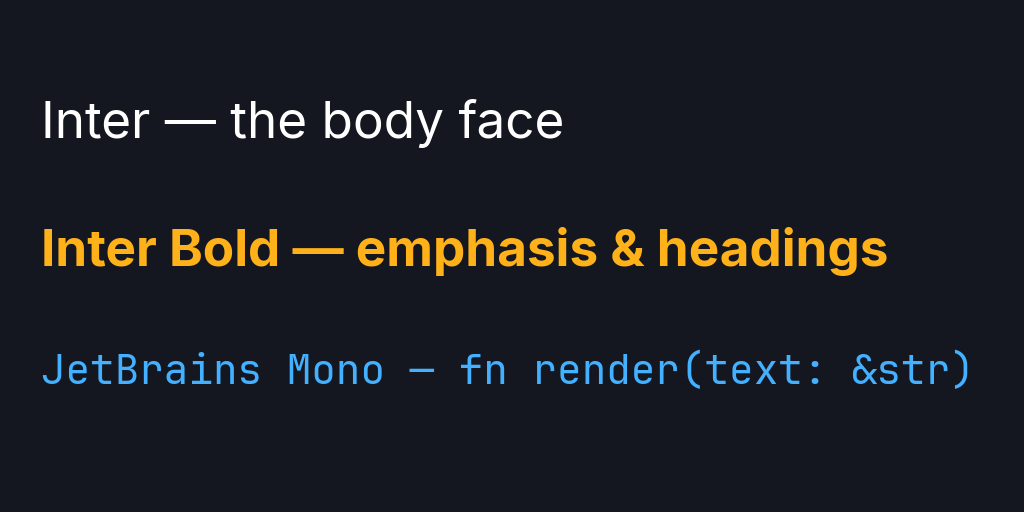
The hero above is regenerated by cargo run -p wisp-storybook --bin wisp-export-text-screenshots. It loads three OFL-licensed font files
(Inter Regular
- Bold, and
JetBrains Mono
Regular) into a fresh cosmic-text
FontSystemviaFlexibleTextEngine::from_font_paths, then routes them through the engine + renderer to demonstrate per-text family selection (WispText::with_font_family), weight, color, and proportional-vs-monospace metrics — end-to-end in wgpu, no system fonts involved.
Why glyphon
Glyphon is the de-facto wgpu rasterizer for cosmic-text. It owns the
glyph atlas (LRU, growable), the per-glyph instance buffer, and the
draw pipeline; we provide the FontSystem and the target view.
Building this ourselves would replicate ~800 LoC of carefully-tuned
atlas-packing code without a corresponding upside.
The crate is small (≈ 5k LoC), license-clean (MIT/Apache-2.0), and
pinned to =0.8.0 to match wgpu 24 + cosmic-text 0.12 at the API
level (= not ^ because glyphon's wgpu version is exact, not
semver-driven).
Shape — a sibling of Renderer, not a method on it
graph LR
    App[Application] --> Renderer["Renderer<br/>(sprites, graphics, masks, …)"]
    App --> Flexible["FlexibleTextRenderer<br/>(glyphon — opt-in)"]
FlexibleTextRenderer is not automatically constructed by
Renderer. Callers wire it explicitly when they need flexible text.
Apps that don't (the storybook smoke harness, simple sprite scenes)
don't pay the glyphon atlas + pipeline cost.
Two reasons:
- Cost. Glyphon allocates its own atlas + pipeline (~few MB of GPU memory + shader compilation). Apps that never render flexible text (e.g. the storybook smoke harness) shouldn't pay it.
- Lifecycle. The renderer needs an
Arc<Mutex<FontSystem>>handle from the engine so layout-time and rasterization-time glyph metrics agree. Wiring this throughRenderer::newwould couple two opt-in subsystems.
The cost: callers wire the engine + renderer explicitly. The benefit: zero footprint when unused.
Lifecycle
#![allow(unused)]
fn main() {
use wisp::application::{AppConfig, Application};
use wisp::text::{FlexibleTextEngine, FlexibleTextRenderer, WispText};
use wisp::color::Color;
use glam::Vec2;

let app = pollster::block_on(Application::new(AppConfig::default()))?;

let engine = FlexibleTextEngine::new();
let mut renderer = FlexibleTextRenderer::new(
    &app,
    wgpu::TextureFormat::Rgba8Unorm,
    engine.font_system_handle(), // shared FontSystem
);
renderer.set_resolution(width_px, height_px);

let layout = engine.layout_concrete(&WispText::new("Hello"));
renderer.draw(
    target_view,
    &[(&layout, Vec2::new(-0.5, 0.5), Color::WHITE)],
    /* clear = */ true,
);
}
set_resolution is sticky — call it once per resize, not per frame.
draw accepts a slice of (layout, position_ndc, color) so multiple
text spans share one glyphon prepare + draw call.
NDC ↔ pixel conversion
The engine shapes at a fixed REFERENCE_PX = 1000 basis (see
FlexibleText layout). At draw
time the renderer rescales:
left_px = (pos_ndc.x * 0.5 + 0.5) * target_width_px
top_px  = (0.5 - pos_ndc.y * 0.5) * target_height_px   // +y flip
scale   = target_height_px / REFERENCE_PX
Same FlexibleTextLayout can be drawn into any-size target without
re-shaping — only the per-draw rescale changes.
Atlas hygiene
renderer.trim_atlas() evicts LRU glyph cells that weren't touched
since the previous frame. Call between frames for long-running scenes
(editor / playback); short-lived contexts (export burn-in) can skip
it.
Blend mode
Glyphon's pipeline ships with normal alpha blending
(pre-multiplied alpha → OneMinusSrcAlpha over destination). That
satisfies AUT-77's "supports at least Normal blend mode" requirement.
Additive / multiply / etc. modes are M-TEXT.13 territory and need
either a glyphon fork or a render-to-texture detour (M-TEXT.5).
Tests
| Test | Asserts |
|---|---|
renderer_constructs_against_default_app | new() returns a renderer wired against the default Application. |
empty_draw_does_not_panic | Empty layouts list is a no-op (no glyphon prepare failure on zero areas). |
draw_hello_paints_some_non_zero_pixels | Layout "Hello" → glyphon → RenderTexture → read pixels → at least one non-zero-alpha pixel. Catches the case where glyphon silently produces empty output (e.g. font system has no glyphs). |
The smoke test is a pixel test, not a snapshot test, on purpose: system fonts vary by host (CI runners pick up Liberation Sans / DejaVu / Helvetica depending on platform), so a byte-for-byte snapshot would churn on every CI bump. "Some pixels are non-zero" catches the genuine regressions (glyphon broken, font system empty, atlas allocation failed) without flapping on cosmetic font swaps.
Known gaps (intentional)
- Container transform + alpha. AUT-77 calls for "respects
container transform and alpha." Today the renderer takes
position_ndc+ per-defaultColor; the transform / alpha inheritance flows through scene composition, which the renderer doesn't yet participate in. M-TEXT.5 (RT cache integration) brings this in by drawing into an intermediateRenderTextureand composing through the existing sprite pipeline — at which point transform + alpha are free. render_stageparticipation. Same story — the renderer can be invoked betweenRenderer::render_stagecalls today, but isn't a pass inside it. M-TEXT.5 makes the RT path the natural integration point.WispTextRenderertrait impl. The crate-level trait was designed before glyphon's "give me a target view + resolution" shape was understood. Implementing it would require widening the trait (target view, resolution, batch mode) — deferred until a second backend exists that would benefit from a uniform trait surface.
Text render-to-texture path
TextTexturePipeline packages
FlexibleTextEngine
(layout, M-TEXT.2),
FlexibleTextRenderer
(rasterization, M-TEXT.3), and a FIFO-bounded TextTextureCache into
one type that turns WispText into a sampled RenderTexture.
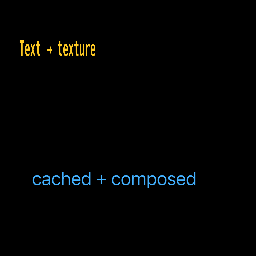
The story above is at
crates/wisp-storybook/src/stories/s_text_texture.rs.
It renders two pieces of text into separate RenderTextures and
attaches each as a Sprite to the scene graph — the standard sprite
pipeline batches the draws.
Why this chunk exists
M-TEXT.3 deferred container transform + alpha inheritance and
render_stage participation to M-TEXT.5. With text now a sampled
texture, those concerns become "what every other sprite already
does":
| Concern (deferred from M-TEXT.3) | M-TEXT.5 resolution |
|---|---|
| Container transform | Sprite already inherits Container::transform |
| Alpha inheritance | Sprite already multiplies tint × container alpha |
render_stage participation | Sprite is part of the sprite pipeline, which render_stage already drives |
| Blend modes beyond Normal | Sprite-side blend modes apply to the text texture verbatim |
Text-as-texture is also the prerequisite for M-TEXT.6 (text composes
through masks, filters, blends, and export) — every primitive that
accepts a RenderTexture (filter, mask, blend, export-frame) now
accepts text.
Cache shape
TextTextureKey hashes everything that affects the rendered output:
content(the literal string)font_family(Option<String>)- Style:
size_ndc,color(per-channel bits),line_height,letter_spacing_ndc,weight,italic,align wrap_width_ndc(Option<f32>)- Output dimensions:
width_px,height_px
f32 fields hash by to_bits() so equality is exact. Cache is FIFO
at MAX_ENTRIES = 64 entries — 64 × 512 × 256 × 4 bytes ≈ 32 MB
upper bound. clear_cache() drops all entries; stats() reports
(hits, misses) since construction.
NDC-coordinate vs sprite-UV conventions
Glyphon writes the texture with +y down (top of the texture is
row 0). The wisp sprite pipeline samples with +y up (NDC
convention). To display a text texture upright through a sprite,
set scale.y negative — standard render-target-as-texture
idiom. Without this, the text renders upside-down.
#![allow(unused)]
fn main() {
let mut sprite = Sprite::from_texture(rt.as_texture());
sprite.container.transform.scale = Vec2::new(width_ndc, -height_ndc);
}
API surface
| Type | Purpose |
|---|---|
TextTexturePipeline::new(app, format) | system-fonts pipeline |
TextTexturePipeline::from_font_paths(app, format, paths) | deterministic-fonts pipeline |
pipeline.render(app, &text, w_px, h_px) -> Arc<RenderTexture> | render-or-fetch-cached |
pipeline.stats() -> (hits, misses) | cache instrumentation |
pipeline.cache_len() -> usize | resident entries |
pipeline.clear_cache() | drop all entries |
RenderTexture::as_texture() -> Texture | wrap as sprite-friendly view |
Tests
| Test | Asserts |
|---|---|
first_render_records_a_miss_and_a_cache_entry | cache miss + 1 entry |
second_render_with_same_inputs_is_a_cache_hit | same Arc returned |
changing_content_invalidates_cache | new entry |
changing_style_invalidates_cache | new entry |
changing_color_invalidates_cache | new entry |
changing_wrap_width_invalidates_cache | new entry |
changing_dimensions_invalidates_cache | new entry |
changing_font_family_invalidates_cache | new entry |
cache_evicts_at_capacity | FIFO eviction at MAX_ENTRIES |
clear_cache_drops_entries_and_refills_on_next_render | clear + recount |
rendered_texture_has_non_zero_glyph_pixels | smoke: pixels exist |
Eleven tests in crates/wisp/src/text/texture.rs.
Text composition — mask, filter, blend, export
With M-TEXT.5's TextTexturePipeline in hand, text becomes a
RenderTexture — and that means it inherits the full composition
surface of every other texture in the renderer.
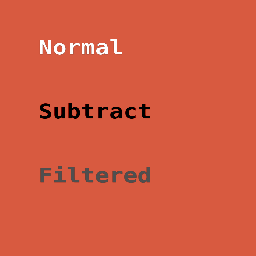
Three text sprites over a warm backdrop:
- Normal — baseline alpha composition through
render_stage. - Subtract —
Container::blend_mode = BlendMode::Subtract. The glyphs punch the backdrop out toward black. - Filtered — orange source text routed through
ColorMatrixFilter::grayscaleviaRenderer::apply_filterbefore being attached as a sprite. The hue is gone in the output.
Composition surfaces
| Surface | Path | Test |
|---|---|---|
render_stage participation | Sprite-of-text is a regular sprite. | text_renders_through_render_stage |
| Offscreen rendering | pipeline.render(app, &text, w, h) writes into a RenderTexture. | (every test boots through this) |
| Non-Normal blend modes | sprite.container.blend_mode = …. | text_with_multiply_blend_differs_from_normal |
| Filter chains | renderer.apply_filter(&filter, &input_rt, &output_rt). | text_filtered_through_color_matrix_grayscale_produces_gray_pixels |
| Headless / copy-frame export | render_stage → RenderTexture::read_pixels. | text_present_in_headless_export_pixels |
| Mask clipping | Renderer::apply_clip consumes a RenderTexture source — the text RT plugs in. | (covered by M-MASK suite at the RT level) |
The integration tests live in
crates/wisp/tests/text_composition.rs.
What's not in this chunk
- Glyph-level filter authoring (per-glyph blur radius, per-glyph stroke). That's M-TEXT.7 (stroke / outline) and M-TEXT.8 (drop shadow / glow). Both will reuse the texture-then-filter pattern shown here.
- Advanced blend modes (Overlay, HardLight, SoftLight, …) that need the offscreen-pass slow path. Those work for sprites today; text sprites participate the same way. No new wiring needed.
- Animated text reveal. M-TEXT.16 territory — orthogonal to the composition path.
Cache interaction
TextTexturePipeline::render caches by content + style + dims, so
when a caption is unchanged across frames the GPU work for the text
layer collapses to a single sprite draw + filter dispatch. The cache
key picks up font_family so swapping a face invalidates correctly.
Stroked / outlined text
Text in a screen recorder lives over whatever the user is recording — chaotic gradients, colored windows, video. A solid-color glyph disappears against any patch that's the same brightness. Stroking the text rescues it.
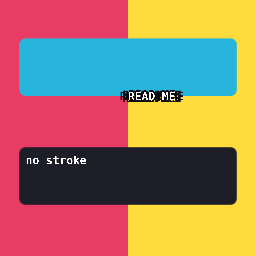
The "READ ME" caption stays readable across the pink + yellow split; the unstyled "no stroke" line below is only legible because the backdrop is dark.
How it works
sequenceDiagram
    participant Pipe as TextTexturePipeline
    participant Tex as Arc<RenderTexture>
    participant Stroke as stroked_text_sprites
    participant Scene as Stage

    Pipe->>Tex: render(text, w_px, h_px) → cached RT
    Stroke->>Scene: 8 sprites, tinted stroke color, offset on a ring
    Stroke->>Scene: 1 sprite, tinted fill color, centered
    Scene->>Scene: render_stage draws sprite by sprite (scene order)
A single rendered text texture is stamped eight times in the stroke
color at small offsets, then once more in the fill color at the
center. No new shader, no glyph-outline path — the technique is the
same one CSS uses for text-stroke.
stroke_width_ndc is in the container's local NDC, before the
container's transform applies. A 0.04 stroke radius inside a
container scaled by (1.6, -0.4) reads as roughly 0.064 × 0.016
NDC at the viewport — small but visible at storybook export size.
This is how typography work usually wants it: stroke thickness
follows the text size.
API
#![allow(unused)]
fn main() {
use wisp::text::{stroked_text_sprites, StrokedTextLayer,
                 TextTexturePipeline, WispText, WispTextStyle};
use wisp::{Color, Container, WispFontWeight};

let pipeline = TextTexturePipeline::new(app, format);
let text = WispText::new("READ ME").with_style(
    WispTextStyle::default()
        .with_size(0.22)
        .with_weight(WispFontWeight::Bold)
        .with_color(Color::WHITE),
);
let rt = pipeline.render(app, &text, 1024, 256);

let layer = StrokedTextLayer {
    fill: Color::WHITE,
    stroke: Color::rgba_u8(10, 10, 18, 255),
    stroke_width_ndc: 0.04,
};

let mut container = Container::new();
container.transform.scale = glam::Vec2::new(1.6, -0.4);
let parent = stage.add_child(stage.root(), container).unwrap();
for sprite in stroked_text_sprites(&rt, &layer) {
    stage.add_child(parent, sprite);
}
}
A stroke_width_ndc of 0.0 skips the stroke and returns a single
fill sprite — same call site for "no stroke" and "with stroke".
Geometry
The stroke ring uses 8 offsets at 45° spacing — (1,0), (√2/2, √2/2), (0,1), …. At large stroke widths the ring's discreteness
shows as faint corners; raise the offset count (e.g. 12 directions)
or render at higher resolution to smooth it. For most caption /
overlay use the 8-direction default is invisible.
Sprite/scene gotcha
The backdrop in the story PNG is a Graphics pipeline call, which
the renderer batches after the sprite pipeline. A bare
Graphics-only backdrop in the same stage will paint over the text.
The story works around this by pre-rendering the backdrop into its
own RenderTexture and attaching that as a Sprite — sprites
respect scene-tree order, so the backdrop sprite (added first) stays
under the text.
Text style presets
Seven curated WispTextStyle values for the recurring captions in a
screen recording — picked once here so the editor, renderer, and
export pipeline never argue about what a caption "is".
Top to bottom: Section title, Caption, Callout, Keyboard shortcut, Step badge, Warning / privacy label, Watermark. Each row shows the preset's own style applied to its own name.
The seven presets
| Preset | When to use | Notable knobs |
|---|---|---|
SectionTitle | Hero / chapter heading | size 0.18, Bold, centered |
Caption | Body copy under a clip | size 0.075, line-height 1.30 |
Callout | Pull quote / aside | size 0.085, Medium, italic |
KeyboardShortcut | Inline ⌘C / ⌃-space chip | size 0.055, slight letter-spacing |
StepBadge | "Step 3 of 7" label | size 0.05, Bold, wide letter-spacing |
WarningPrivacyLabel | Mask + redaction overlays | signal-red, Bold |
Watermark | Export footer | size 0.04, italic, alpha 0.63 |
API
#![allow(unused)]
fn main() {
use wisp::text::{TextPreset, WispText};

let style = TextPreset::Caption.style(); // -> WispTextStyle
let text  = WispText::new("Hello").with_style(style);
}
Or call a named accessor directly:
#![allow(unused)]
fn main() {
use wisp::text::presets;

let warning = presets::warning_privacy_label();
}
TextPreset::all() returns every preset in display order — used by
the storybook gallery + tests so adding a new preset automatically
shows up.
Why they're pure data
Each preset is a pub fn -> WispTextStyle — a Copy value-type with
no runtime cost. The editor uses them to apply styles in O(1); the
renderer reads the same struct for layout + rasterization. There's
no "presets-as-strings" detour through a config file.
Test invariants
The test module enforces a few non-obvious contracts:
- Every preset has positive
size_ndcandline_height. - No two presets are byte-identical (every row in the gallery looks visibly different).
WarningPrivacyLabelhas a red-dominant color (R > 0.8, G/B < 0.5) so a future tweak doesn't quietly desaturate the privacy signal.Watermarkcarries alpha < 1.0 so an export accidentally rendering it at full opacity stays visible as a test failure.
Word-wrapped caption block
A composed scene fragment — wrapped text on top of a rounded background. The block measures the wrapped text at layout time and sizes the background to fit, so a one-line "Recording" and a three-line description both produce a clean rectangle with the same padding.

How the layout works
sequenceDiagram
    participant Caller as caller
    participant Block as CaptionBlock
    participant Engine as TextTexturePipeline.engine
    participant Out as CaptionLayout

    Caller->>Block: text, width, padding, radius
    Block->>Block: wrap text to (width − 2 × padding)
    Block->>Engine: layout_concrete(text).metrics()
    Engine-->>Block: total_height_ndc
    Block->>Out: Graphics rounded-rect (width × (text_h + 2×pad))
    Block->>Out: Sprite carrying rendered text-RT, inset by padding
CaptionBlock isn't a new node type — it returns a Graphics +
Sprite pair that the caller attaches to a Container. Position
the container, and both background + text move together. Apply a
Container::clip and the whole caption clips. No special-case code
in the renderer.
API
#![allow(unused)]
fn main() {
use wisp::text::{CaptionBlock, TextPreset, TextTexturePipeline, WispText};
use wisp::Container;

let pipeline = TextTexturePipeline::new(app, format);

let block = CaptionBlock::from_text(
    WispText::new("Wraps inside a fixed width and pads cleanly.")
        .with_style(TextPreset::Caption.style()),
)
.with_width(0.85)
.with_padding(0.05)
.with_radius(0.06);

let layout = block.layout(app, &pipeline);

let mut container = Container::new();
container.transform.position = Vec2::new(-0.425, 0.4);
let id = stage.add_child(stage.root(), container).unwrap();
stage.add_child(id, layout.background);
stage.add_child(id, layout.text_sprite);
}
layout.height_ndc gives the actual block height so the caller can
stack multiple blocks without overlapping.
Wrap behavior
If the WispText already has .with_wrap(...) set, the block
respects that width instead of width − 2×padding. Useful for cases
where the caller wants the text to wrap tighter than the block's
visual width (e.g., a tooltip with extra horizontal padding).
Alignment
WispTextStyle::align flows through unchanged — Center produces a
centered caption, Left is left-aligned within the padded box. The
text presets chapter has examples of each.
Snapshot determinism
Captions are pure data + cosmic-text layout + sprite render, with no
randomness. The story is covered by story_smoke (no validation
errors + visible pixels) and story_fingerprints (quadrant snapshot).
Headless export reproduces the on-screen layout byte-for-byte at the
same target format.
Drop shadow + glow on text
Text rendered to a RenderTexture, then run through wisp's existing
DropShadowFilter.
A glow is a drop shadow with offset = (0, 0) and a bright color —
same pipeline, two parameter sets.
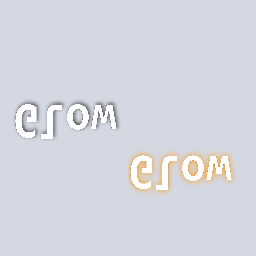
Left: drop shadow (offset 6 px, blur 5, dark 60% alpha). Right: glow (zero offset, blur 8, warm amber). The paper-white backdrop is a sprite so the shadow + halo are visible.
Pipeline
sequenceDiagram
    participant Pipe as TextTexturePipeline
    participant Stage as staging Stage
    participant InputRT as input_rt (linear)
    participant Filter as DropShadowFilter
    participant OutputRT as shadow_rt / glow_rt
    participant Scene as scene Stage

    Pipe->>Stage: text_rt bytes (glyphon, +y down)
    Stage->>InputRT: render_stage flip → +y up
    InputRT->>Filter: apply_filter(shadow params)
    Filter->>OutputRT: alpha-extract → blur → composite
    OutputRT->>Scene: Sprite (final composition)
The intermediate staging step exists because the text texture
pipeline returns Rgba8UnormSrgb (display gamma), but the filter
math is correct in linear (Rgba8Unorm) space. Rendering the
glyph-RT into a linear input_rt once handles both the format
swap and the +y flip cosmic-text needs.
The DropShadowFilter does alpha-extract → blur → offset →
composite-under. With offset = (0, 0), the blurred alpha falls
directly under the source, producing a halo. Pick the color (a
warm amber for highlight; a saturated red for danger; bright cyan
for cyberpunk vibes), pick the blur, done. No second filter.
API
#![allow(unused)]
fn main() {
use wisp::DropShadowFilter;
use glam::Vec2;
use wisp::Color;

let shadow = DropShadowFilter {
    offset: Vec2::new(6.0, 6.0),
    blur: 5.0,
    color: Color::rgba(0.0, 0.0, 0.0, 0.6),
};
renderer.apply_filter(app, &shadow, &text_input_rt, &shadow_output_rt);

let glow = DropShadowFilter {
    offset: Vec2::new(0.0, 0.0),
    blur: 8.0,
    color: Color::rgba(1.0, 0.80, 0.30, 1.0),
};
renderer.apply_filter(app, &glow, &text_input_rt, &glow_output_rt);
}
Both output RTs become sprites; the caller composes them into the final scene.
The story renders the paper-white backdrop into its own RT and
attaches it as a Sprite. A direct Graphics::draw_rect for the
backdrop in the same stage would paint after the sprite text +
shadow (Graphics renders after Sprites in render_stage),
overwriting the entire shadow effect. The CLAUDE.md "Renderer
batching / draw order" entry captures the rule.
When to use which
| Look | offset | blur | color |
|---|---|---|---|
| Subtle drop shadow | (2, 2)..(4, 4) | 2–4 | Color::rgba(0, 0, 0, 0.4) |
| Heavy drop shadow | (6, 6)..(10, 10) | 5–10 | Color::rgba(0, 0, 0, 0.7) |
| Soft glow | (0, 0) | 6–10 | warm bright RGB, alpha 1.0 |
| Hard glow / outline-feel | (0, 0) | 1–3 | saturated RGB, alpha 1.0 |
| Privacy / danger pulse | (0, 0) | 5–8 | red RGB, alpha 0.9 |
Drop shadow + glow combine: run two filter passes, attach both output sprites under a common Container with the shadow's sprite inserted first (so it renders below).
Callouts, badges, arrows
Five callout shapes — composed from existing Graphics primitives
CaptionBlock+ text sprites. No new wisp types; the vocabulary isdraw_rounded_rect,draw_ellipse,draw_line, plus the text-texture pipeline.
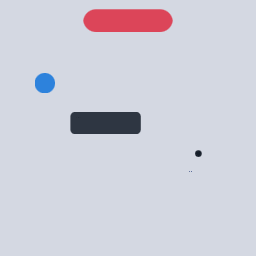
Caption pill (top), number badge (left), label box (center), pointer + target dot (right), arrow + "click" label (bottom).
Recipes
flowchart LR
    A[Caption pill] --> A1[CaptionBlock + large radius + warm fill]
    B[Number badge] --> B1[draw_ellipse + centered text sprite]
    C[Label box] --> C1[CaptionBlock + dark fill + small radius]
    D[Pointer + label] --> D1[CaptionBlock + draw_line + filled target ellipse]
    E[Arrow + label] --> E1[draw_line + two fan lines for arrowhead + text sprite]
Caption pill
#![allow(unused)]
fn main() {
let pill = CaptionBlock::from_text(
        WispText::new("Now recording")
            .with_style(TextPreset::Caption.style()),
    )
    .with_width(0.7).with_padding(0.04).with_radius(0.10)
    .with_background(Color::rgba_u8(220, 60, 80, 240));
}
Large corner radius (≥ half height) on a CaptionBlock reads as a
pill. Small radius (≤ 0.04) reads as a card. Same primitive, two
silhouettes.
Number badge
#![allow(unused)]
fn main() {
let mut bg = Graphics::new();
bg.fill(Fill::Solid(Color::rgba_u8(45, 130, 220, 255)));
bg.draw_ellipse(center, Vec2::splat(0.08));
// Text on top, anchor at center.
let rt = pipeline.render(app, &n_text, 192, 192);
let mut sprite = Sprite::from_texture(rt.as_texture()).with_anchor(Vec2::splat(0.5));
sprite.container.transform.position = center;
sprite.container.transform.scale = Vec2::new(0.12, -0.12);
}
Arrow + label
Wisp's Graphics exposes draw_rect, draw_rounded_rect,
draw_ellipse, and draw_line — but no general draw_path. An
arrowhead approximates with three short draw_line calls fanning
from the tip. For richer geometry — bezier curves, complex
arrowheads — see M-VEC.13 SVG path import
or wait for a future Graphics::draw_path.
Blend + opacity
Every callout's Container::blend_mode and Container::alpha work
unchanged — set them on the callout's container and the entire
composition (background + text + arrow) participates. A faded
callout (alpha = 0.6) reads as "hint" vs "primary".
What this unlocks
Callouts are the recording-overlay vocabulary — the artifacts the editor adds on top of captured video to teach what to look at. The recorder will use these shapes for cursor click pulses, keyboard chips, redaction labels, and step-by-step instructions.
Text as mask — fill, blur, spotlight
Text becomes a stencil: render glyphs to an alpha-coverage texture,
feed any other render-texture as the foreground, and
Renderer::apply_mask_to_texture clips the foreground to the
glyph shape. The story below shows the same "WISP" mask with three
foregrounds — a saturated color-band fill, a blurred backdrop, and
a warm spotlight.
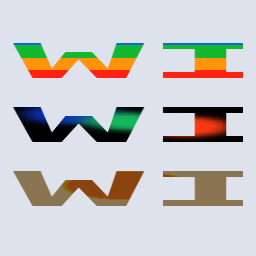
Top: gradient fill through text. Middle: blurred circles. Bottom: warm spotlight. One mask, three foregrounds.
Composition
sequenceDiagram
    participant Pipe as TextTexturePipeline
    participant Mask as mask_rt (RGBA, alpha = glyph coverage)
    participant Fg as foreground_rt (gradient | blur | spotlight)
    participant Compose as Renderer.apply_mask_to_texture
    participant Out as output_rt

    Pipe->>Mask: text → RT with alpha = coverage
    Fg->>Compose: pass through unchanged
    Mask->>Compose: clip with alpha
    Compose->>Out: foreground × mask.a
This is the same function M-VEC.4..6 (privacy blur / redaction / spotlight composition) and M-MASK.2..4 (clip + path mask + mask combine) call. Text joins the list of valid coverage sources alongside analytic SDFs (RoundedRect, Ellipse), vector paths, and procedural masks. The renderer doesn't care where the alpha came from.
API
#![allow(unused)]
fn main() {
use wisp::text::{TextTexturePipeline, WispText, WispTextStyle};
use wisp::{RenderTexture, Texture, Color};

// 1. Render text to a coverage texture.
let text = WispText::new("WISP").with_style(
    WispTextStyle::default().with_size(0.95).with_color(Color::WHITE),
);
let text_rt = pipeline.render(app, &text, 256, 256);

// 2. Stage the text-RT into the renderer's format (linear, +y up).
let mask_rt = RenderTexture::with_format(app, 256, 256, format);
// (render text_rt onto mask_rt via a sprite with scale.y = -1)

// 3. Apply the mask to any foreground RT.
let output = RenderTexture::with_format(app, 256, 256, format);
renderer.apply_mask_to_texture(app, &foreground_rt, &mask_rt, &output);
}
Three pre-made foregrounds
The three foregrounds in the story are independent of the mask. Swap
the gradient for a screen-grab, the blur for a stock photo, the
spotlight for a vignette — and the same apply_mask_to_texture call
just works. Caching the mask RT across frames (text is rarely
re-rendered per frame) and only regenerating the foreground keeps
the GPU cost in line with a regular textured sprite.
- Fill — A
Graphicsof horizontal color bands rendered into a plain RT. Punchy, poster-style. - Blur — Three overlapping
draw_ellipsecircles in saturated colors, run throughBlurFilter::new(radius: 8.0). Soft-focus reveal. - Spotlight — Solid warm field + a yellow ellipse + a slight
dimming layer, finished with a zero-offset
DropShadowFilterto soften. Glowy halo through the glyphs.
Lavapipe / CI guard
The blur + drop-shadow paths use the multi-bind-group filter
pipeline that lavapipe (Linux CI's software Vulkan) loses the device
on. The story checks WISP_SKIP_GPU_FILTER_TESTS and substitutes a
sharp / no-filter foreground when it's set, so the smoke + snapshot
tests still pass on the Ubuntu runner. macOS runners exercise the
real filter path.
Pixel tests
Inside-/outside-glyph alpha is enforced upstream by the mask-compose
pipeline's own tests
(crates/wisp/tests/mask_compose_*.rs).
This chunk verifies that text-driven masks reach the same primitive
unchanged, by way of the storybook story's story_smoke (no wgpu
validation errors, visible pixels) and story_fingerprints (quadrant
snapshot — text shape must be stable per frame).
API reference
Generated rustdoc for the wisp crate is published alongside this
book under ./api/. It includes every
public type, trait, function, and constant in the renderer.
The rustdoc and this book share a deployment pipeline: every push
to main builds both and pushes them to the same GitHub Pages
site, so the link above is always in sync with the rendered
chapters.